Custom Ring Design Brief: Fields to Set Before Visualization
A useful custom ring design brief records what the concept should show, what remains provisional, and who must confirm each unresolved point. Before requesting a visualization, define the silhouette, stone direction, setting language, proportions, reference records, review status, and next handoff.
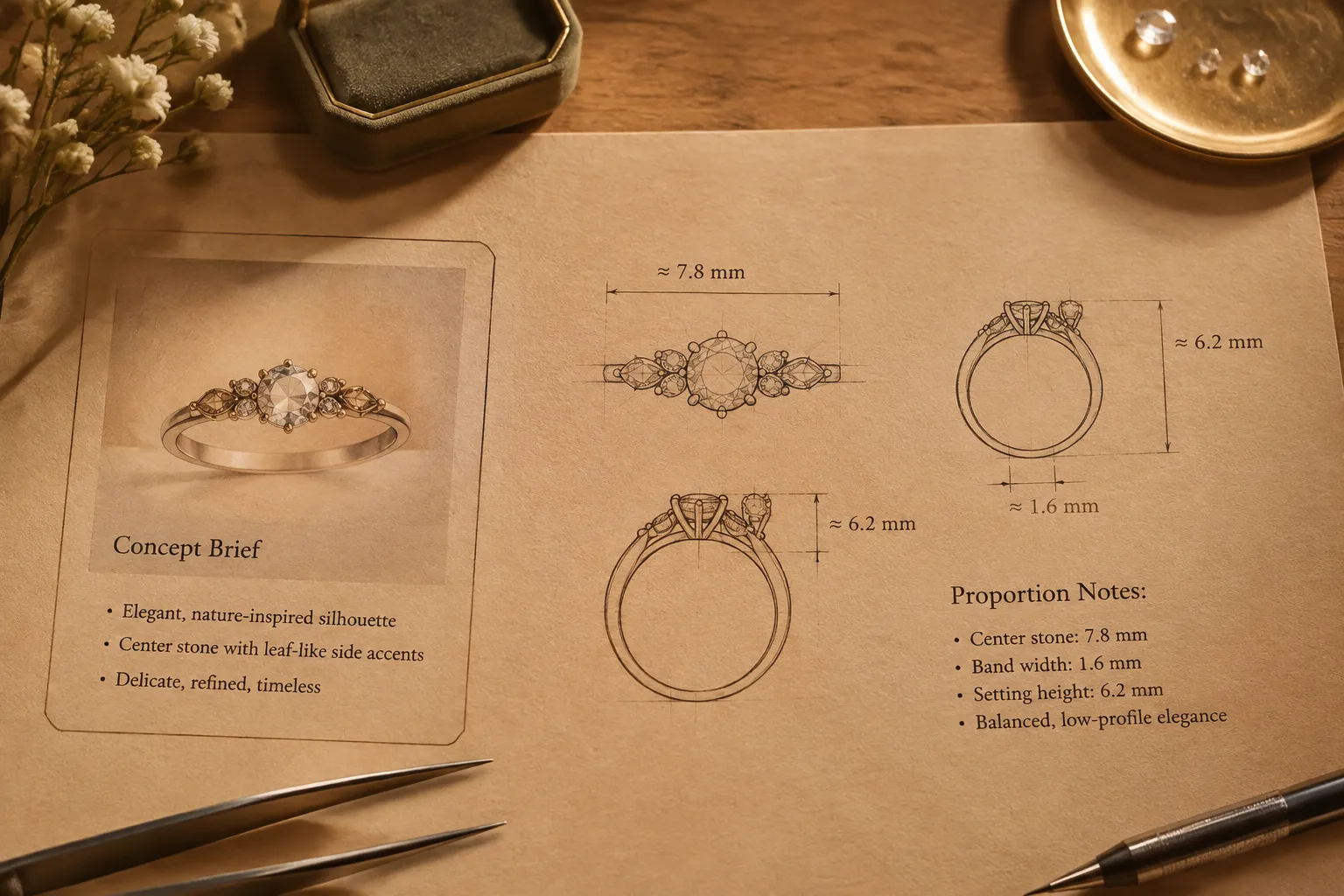
The brief makes a visual idea reviewable. It does not make a preview proof of exact dimensions, stone identity, metal composition, price, availability, fit, durability, or production feasibility.
Start With the Intended Ring Silhouette
Describe the overall shape before listing small details. Record whether the ring should appear low and discreet, tall and architectural, narrow and light, broad and substantial, rounded, angular, or visibly tapered.
Intended silhouette: a low-profile ring with a narrow shank, a centered stone, and limited side detail.
Then state the decision consequence. A low profile may make the setting appear discreet in the preview, while a taller profile may require a clearer gallery and side view. The visualization can show the intended direction. A jeweler or CAD designer still needs to confirm the actual construction.
- Overall silhouette
- Front, side, and three-quarter view priorities
- Desired visual height and width
- Tapered, straight-sided, rounded, or angular profile
- Features that must remain visually prominent
- Features that may change during development
Mark hypothetical measurements as visual scale cues or assumptions. Do not present them as settled specifications before the relevant professional confirms them.
Record the Provisional Stone Shape
A ring concept needs a clear stone direction even when the final stone has not been sourced. Record the intended shape and visual role rather than treating an image as proof of identity, dimensions, origin, availability, or price.
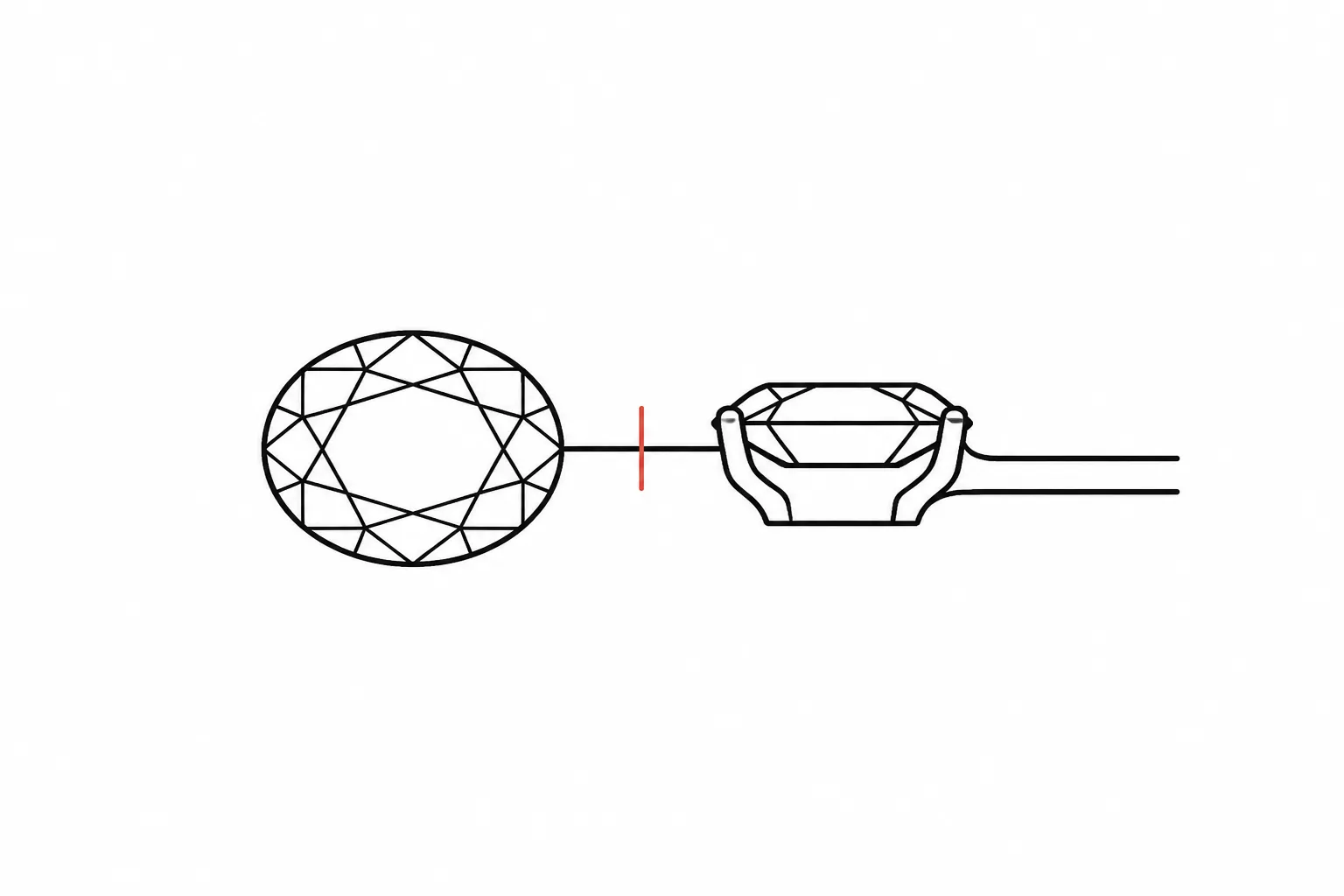
Provisional center stone: elongated oval appearance, used as a proportion cue only.
This gives the visualization reviewer something to compare. It does not establish the stone’s material, grade, origin, or final dimensions.
- Center stone shape
- Side-stone or accent direction
- Symmetry or intentional asymmetry
- Visual length-to-width impression
- Faceting or surface appearance shown in the reference
- Whether the stone is selected, under consideration, or unresolved
- Whether the image is supplied, licensed, generated, or editorial
If a halo is part of the concept, state whether the surrounding stones should read as a continuous frame, separated accents, or a soft outline. Jewelry CAD research can show why stone size, spacing, cut, and prong dimensions may become relevant inputs later. Those are possible technical fields, not universal requirements for every ring.
Define the Ring Setting Direction
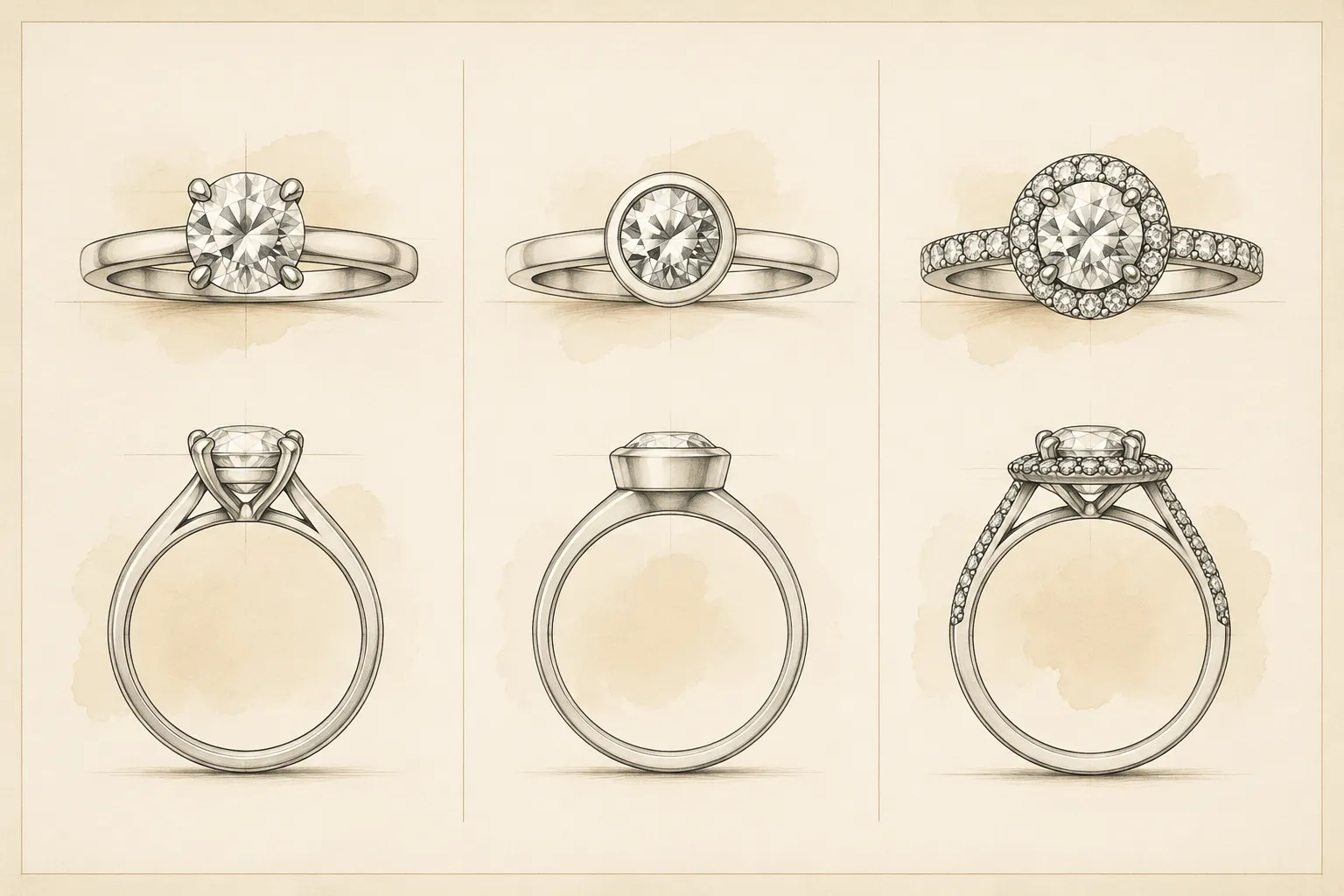
The setting is often where two visually similar concepts separate. State which direction the preview should compare.
- Prong direction: more visible structure and open separation around the stone.
- Bezel direction: a cleaner perimeter and more enclosed visual edge.
- Halo direction: surrounding detail that changes how strongly the center reads.
- Minimal direction: center-stone emphasis with limited surrounding structure.
These labels describe concept direction. They do not confirm that a particular setting can support a particular stone or use case.
Place the comparison criterion beside each option. Compare prong and bezel by visible edge, openness, and the amount of structure shown in the view. Compare a full halo with a partial halo by continuity, spacing, and separation between the center and surrounding detail.
Revision request: show the center setting from the side so the intended height and gallery relationship can be reviewed separately from the front silhouette.
Capture Shank and Gallery Preferences
Record the shank and gallery separately. The shank affects the ring’s visual balance, while the gallery affects what can be seen beneath or beside the center setting.
Shank fields
- Narrow, medium, or substantial visual weight
- Tapered, straight, split, or contoured direction
- Plain, textured, engraved, or stone-set appearance
- Rounded, flat, or faceted surface impression
- Continuous band or interrupted detail
- Preferred relationship between shank and center setting
Gallery fields
- Open or visually enclosed underside
- Minimal or pronounced support structure
- Visible side profile
- Decorative gallery elements
- Clearance or spacing questions requiring confirmation
Describe the gallery as a preferred visual relationship, not as a construction drawing. CAD development and workshop review must establish the actual geometry, measurements, material assumptions, and feasibility.
Add Visual Scale Cues
A visualization needs enough scale information for comparison. It does not need to claim exact scale when measurements remain unconfirmed.
- Relative center-to-shank size
- Relative halo-to-center size
- Apparent height from the side
- Visual thickness of the shank
- Spacing between stones or details
- Finger or hand context, if supplied
- Proportions that are intentional versus provisional
Assumption: the center stone is shown at a provisional proportion for comparing silhouette options.
This keeps an illustrative proportion from being mistaken for a confirmed specification. It also gives the next reviewer a precise question: should the center remain visually dominant, or should the surrounding structure carry more of the composition?
Keep Concept Direction Separate From Source Records
Connect each reference image, sketch, annotation, written decision, table, and revision note to a short source record. The record should explain what the item contributes and what remains unresolved.
- Source location or internal file name
- Date collected or last checked
- Feature contributed by the reference
- Direct reference, loose visual cue, or original direction
- Rights or permission status
- Required attribution
- Whether reuse has been confirmed
Attribution and permission are separate fields. A source record may identify where an image came from without establishing permission to reuse the image or its design. Route an unresolved rights question to the rights holder or the person responsible for the source record.
Source record: reference used for side-profile proportion. Reuse status unresolved. Confirm permission or replace it before publication or client delivery.
Label the Representation Clearly
Name the artifact according to what it communicates. A sketch, concept view, model, prototype, CAD development file, and production document can serve different roles in a handoff.
- Concept direction
- Provisional visual
- Comparison view
- Client review version
- CAD development pending
- Workshop questions unresolved
Do not label a concept render as a final CAD drawing or manufacturing specification. Keep the label visible when the image is exported, shared, or placed in a presentation.
This prevents a persuasive image from being read as a record of facts that were never confirmed.
Set Brief Approval Status
Approval should describe the state of the brief, not the physical ring. Use a small status field with an owner and date.
- Draft direction
- Ready for visualization
- Visualization under review
- Revision requested
- Concept direction accepted
- Technical inputs pending
- CAD development pending
- Workshop questions pending
Status: visualization under review. The silhouette is accepted for comparison; stone dimensions, setting construction, and quotation remain unresolved.
This separates agreement about appearance from agreement about technical or commercial matters. A visual direction can be accepted while a jeweler, supplier, CAD designer, or workshop still needs to confirm other fields.
Record CAD Development Status
If the concept is moving toward CAD, identify which information is supplied and which values remain assumed.
- Whether a CAD designer has been assigned
- Whether stone dimensions are supplied or provisional
- Whether spacing is supplied or provisional
- Whether prong or bezel direction is only visual
- Whether metal and finish are selected or hypothetical
- Whether production allowances have been discussed
- Whether a CAD review has occurred
- Which revisions remain open
The CAD handoff should identify missing inputs instead of concealing them behind a finished-looking image.
CAD request: develop the accepted silhouette using confirmed stone and measurement inputs. Flag every provisional value before geometry is treated as a technical record.
Add Workshop Feasibility Questions
Do not force the brief to answer questions it cannot settle. Give each unresolved issue a confirmation owner.
- Can the intended setting direction be developed for the selected stone?
- What measurements are required before CAD begins?
- Which metal and finish assumptions need supplier documentation?
- Does the proposed shank and gallery relationship require revision?
- What fit information must be supplied?
- Which durability or construction questions require professional review?
- What information is needed for a quotation?
- Is the proposed stone or material currently available?
Route each question to the appropriate reviewer. A supplier may need to confirm material or availability information. A jeweler or workshop may need to review fit, construction, durability, or production questions. A CAD designer may need confirmed dimensions and arrangement inputs.
A Compact Custom Ring Brief Example
- Concept direction: Low-profile oval-centered ring with a restrained surrounding frame.
- Silhouette: Narrow shank, modest visual height, lightly tapered toward the center.
- Stone direction: Oval appearance is provisional. Final stone identity and dimensions are unresolved.
- Setting direction: Compare prong and bezel views from the front and side.
- Shank: Plain visual surface with a rounded profile. Exact width is a scale cue only.
- Gallery: Keep the side structure visible enough for review. Construction remains unresolved.
- Reference record: Two supplied images support the profile and setting language. Rights status requires confirmation.
- Approval status: Ready for visualization, not a production document.
- CAD status: Pending confirmed measurements and selected technical inputs.
- Next owner: Jeweler or CAD designer to review dimensions, setting assumptions, and required revisions.
Final Check Before Visualization
Before sending the brief, confirm five points:
- What should the viewer notice first?
- Which visible features are fixed concept directions?
- Which stones, metals, dimensions, prices, or availability details are assumptions?
- What does each reference record contribute, and is its reuse status known?
- Who confirms the next unresolved question?
The brief is ready for visualization when the intended silhouette, provisional stone shape, setting direction, shank and gallery preferences, scale cues, source records, and review status are explicit. Send the visual with its status attached, then carry every unresolved value into the CAD or workshop handoff as a question.
Sources
- Development of computer-aided design module for automatic gemstone setting on halo ring
- A Taxonomic Classification of Visual Design Representations Used by Industrial Designers and Engineering Designers
- How to Best Frame a Design Brief to Maximize Novelty and Usefulness in Idea Generation
- Product Design Lifecycle Information Model (PDLIM)
- Collaborative Project Brief Scorecard Method: Evaluating Product Design Projects to Aid Design Effort Estimation