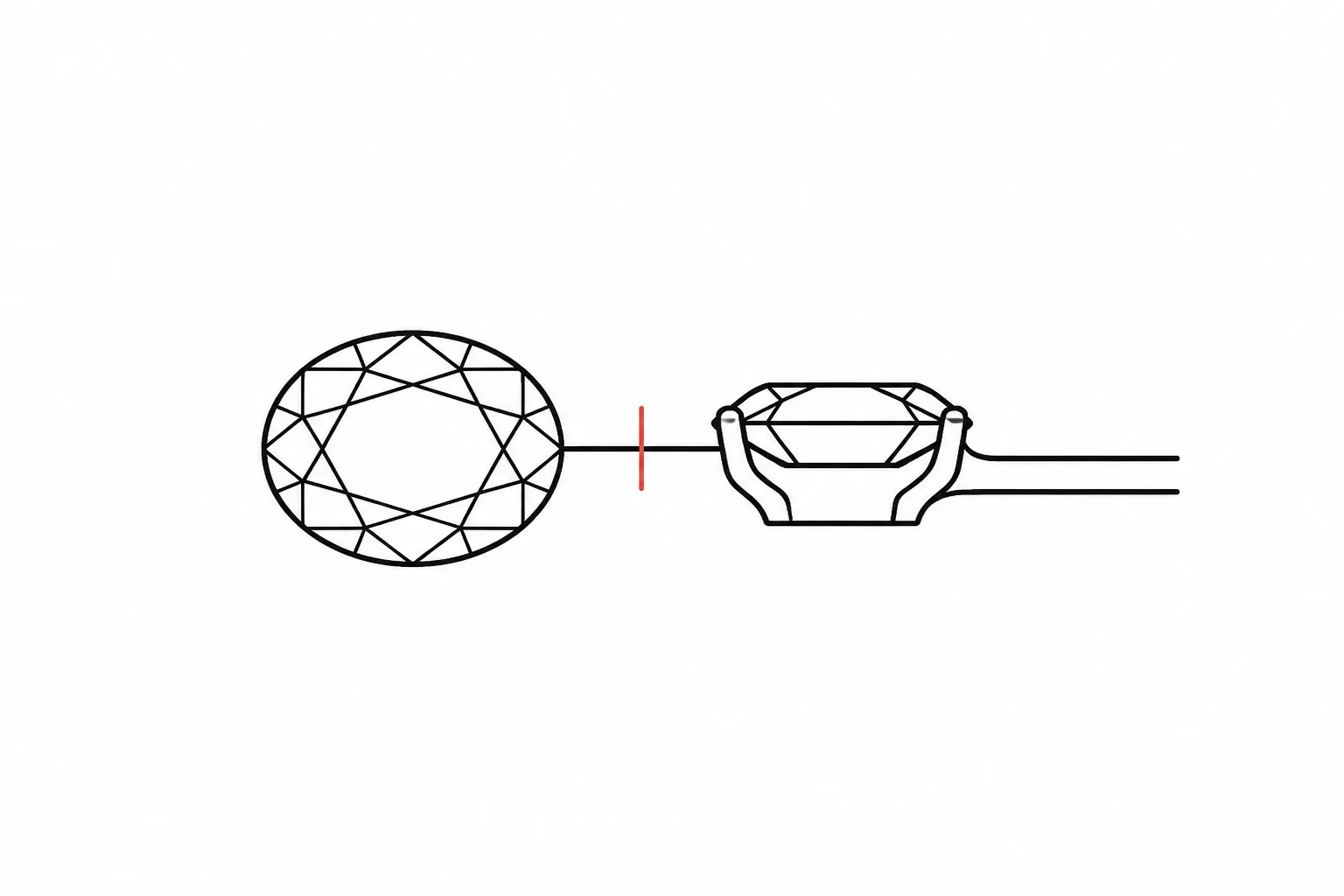
Concept Assumptions and Open Questions
A concept preview can make a jewellery direction easier to compare, but it cannot settle every decision the finished piece requires. It may show an oval centre outline, a low-looking profile, four apparent prongs, and a narrow shank. It does not establish the stone's identity, exact dimensions, metal composition, fit, availability, price, durability, hallmarking, or manufacturing feasibility.
A useful jewelry design checklist separates four kinds of information:
- Observed in the preview: features directly visible in the supplied view.
- Recorded in the brief: preferences, dimensions, materials, or constraints explicitly supplied.
- Assumed or unresolved: interpretations that still need a record or review.
- Confirmation owner: the person or document responsible for resolving the item.
This separation keeps a convincing image from becoming an accidental specification. It also gives the client, designer, CAD specialist, supplier, and workshop a shared record of what has been chosen and what remains open.

What Changes the Answer?
The same preview can support different conclusions depending on its views, scale cues, source records, and intended use. A front view may establish the outline while concealing the gallery. A three-quarter view may suggest height while changing the apparent stone proportion. A close crop may reveal prong direction but remove any dependable cue for overall scale.
Begin the review by asking:
- Which features remain visible in more than one view?
- Which details appear only once or remain partly concealed?
- Which specifications are written in the brief rather than inferred from the image?
- Which reference images have a recorded rights status?
- Who must confirm each unresolved material, measurement, sourcing, quotation, or workshop question?
The answer changes when any of these records change. Treat the checklist as a revision register, not a one-time approval form.
The Four-Label Review Method
Each checklist entry should describe one decision unit. Notes such as “make it more refined” are difficult to compare because they do not identify the feature or the required revision.
| Label | What to record | Example |
|---|---|---|
| Observed in the preview | A visible feature without inferring hidden specifications | The front view shows an elongated centre outline. |
| Recorded in the brief | Information explicitly supplied by the client or project record | The brief records an oval direction. |
| Assumed or unresolved | A plausible interpretation that still needs confirmation | The exact stone dimensions and length-to-width relationship remain unresolved. |
| Confirmation owner | The next person or record needed | Supplier documentation for the stone and CAD review for the modelled proportions. |
An observation can be accurate while its interpretation remains uncertain. Keeping those fields separate makes later revisions easier to trace.
Silhouette and Profile Checklist
Silhouette is the outer form seen from a particular angle. Profile concerns the form from the side, including height, taper, projection, and the relationship between the setting and the band or chain.
A top view and a side view answer different questions. One should not substitute for the other.
Overall Silhouette
Record the visible outline before naming a style category. For a ring, that may include an elongated centre, a straight or tapered shank, and a halo-like border. For a pendant, it may include the drop shape, the relationship between the main element and bail, and whether the composition appears symmetrical.
- Is the outline round, elongated, angular, clustered, open, or asymmetrical?
- Does the silhouette remain consistent across the supplied views?
- Are edge details visible, or do reflections merge them into the background?
- Does the piece appear balanced around a central axis?
- Which parts of the outline are design choices, and which may be image artefacts?
A useful revision note might read: “The front view shows a narrow elongated outline, while the three-quarter view appears broader. Compare the intended length-to-width direction before CAD.”
Side Profile
A top-facing preview cannot establish the side profile. Request or prepare a profile view when height, gallery shape, stone exposure, clasp placement, or clearance affects the concept.
- Is the setting intended to appear low, raised, stepped, or suspended?
- Can the gallery be seen clearly?
- Does the centre form sit above, within, or close to the surrounding structure?
- Are shoulders, supports, hinges, bails, posts, or clasps visible?
- Is clearance between adjacent components shown?
- Does another item need to sit beside the piece?
Words such as “low” and “high” are directional until a measurement or reviewed model defines them. Record the preference, then assign the dimensional question to CAD or workshop review.
Stone Shape and Apparent Scale
A preview may communicate stone shape while leaving stone identity and dimensions unresolved. The apparent outline can also change when a stone is tilted, partly covered, surrounded by a bezel, or viewed through strong reflections.
Separate three decisions:
- Shape direction: oval, round, pear, cushion-like, emerald-cut direction, or another visible outline.
- Apparent proportion: broad, narrow, elongated, shallow-looking, or deep-looking.
- Recorded specification: dimensions, weight, material identity, treatment, origin, or supplier reference documented elsewhere.
Only the first two may be available from the image. The third requires suitable records.
Scale Cues to Compare
- Centre form relative to the shank width
- Halo or border relative to the centre
- Earring drop relative to the post or hook
- Pendant relative to the bail or chain
- Clasp relative to the chain links
- Repeated elements relative to the overall piece
- Stated dimensions in the brief
- A dimensioned CAD view when available
A hand, ear, neckline, or packaging mockup may provide a visual impression, but perspective and image scaling can alter that impression. Treat body placement as a direction unless measurements accompany it.
Specialised jewellery CAD research also supports a narrower handoff point: enlarging an overall design does not necessarily mean enlarging every structural component at the same rate. A border, pierced element, prong, connector, clasp, or engraving may require a separate parameter.
Which dimension should change, which relationships should remain visually stable, and which components require separate review?
Record that question before model development proceeds.
Setting Direction Checklist
A preview can show a setting direction without establishing its final construction. The visible outline may suggest prongs, a bezel, a halo, a cluster, a channel, or another arrangement. Hidden supports and exact component dimensions remain unresolved unless another record supplies them.
Prong Direction
- How many prongs appear visible?
- Where do they meet the apparent stone outline?
- Are they rounded, pointed, split, shared, or only loosely indicated?
- Do their positions remain consistent across views?
- Are any hidden by the viewing angle?
- Is the priority minimal visual coverage, stronger framing, or another stated preference?
Do not convert a painted highlight or dark edge into a confirmed prong. If the view is unclear, record “prong count unresolved” and request a cleaner view or CAD interpretation.
Bezel, Halo, and Cluster Direction
Record whether the border appears continuous, partial, stepped, or decorative. A halo-like edge could represent a ring of small stones, a textured rim, or repeated metal detail when the preview lacks resolution.
- Single border or multiple borders
- Uniform or graduated surrounding elements
- Tight or open visual spacing
- Symmetrical or directional arrangement
- Centre-led or cluster-led silhouette
Material identity, element count, setting method, spacing, and availability remain separate questions unless supporting records confirm them.
Shank, Gallery, Chain, and Clasp Details
Small supporting components can change the overall profile and handoff requirements. They are also frequently obscured by a flattering viewing angle.
Ring Shank
Record whether the shank appears straight, tapered, split, twisted, knife-edge, rounded, or flat in direction. Note whether its apparent width changes, whether the surface appears plain or patterned, and whether it joins the setting abruptly or through a gradual shoulder.
Then identify what cannot be read: inner profile, exact width, depth, size, comfort features, joins, or hidden stone coverage.
Gallery and Under-Setting Area
The gallery affects the profile and the relationship between visible components, but it may be absent from the main preview. Request a side or underside view when it matters to the selected direction.
- Does the gallery appear open or visually enclosed?
- Do supports appear straight, curved, crossed, or decorative?
- Does the underside repeat a motif from the top?
- Does the view show clearance around the centre?
- Does hidden geometry conflict between images?
Workshop feasibility remains an open question until the proposed dimensions and structure have been reviewed.
Chains, Bails, Posts, and Clasps
For pendants and earrings, the attachment is part of the concept. A pendant can appear centred while the bail position remains unresolved. An earring preview may show the front composition without showing its post, hook, hinge, or closure.
- Attachment location
- Visible orientation
- Apparent movement or fixed position
- Chain or hook direction
- Clasp or closure type shown
- Hidden mechanism still required
- Compatibility questions for supplier or workshop review
A static preview can suggest movement. It does not demonstrate how a joint, drop, hinge, or articulated section will behave.
Finish and Metal Colour Direction
Colour in a preview is visual direction unless material documentation accompanies it. Lighting, reflections, colour grading, and adjacent stones can make the same rendered surface appear warmer, cooler, brighter, or darker.
Record separate fields for visible colour direction, intended metal stated in the brief, surface finish, areas intended to contrast, and the supplier or workshop confirmation required.
For example: “The preview shows a warm yellow surface with polished highlights. The brief records yellow-gold direction. Alloy, finish specification, availability, quotation, and hallmarking remain outside the image review.”
Colour alone cannot identify a metal. The same boundary applies to white, silver-toned, rose-toned, blackened, or mixed-colour surfaces.

How to Handle Inconsistent Views
Multiple views are useful only when they describe a coherent concept. Research on jewellery CAD representation and making knowledge illustrates why side, isometric, and movement views can expose information that one image leaves hidden. That evidence supports a limited comparison principle, not a universal checklist standard.
When views conflict, classify the conflict before requesting a revision.
Perspective Difference
The feature may be unchanged while the camera angle alters its appearance. Compare stable landmarks such as the centre axis, setting edge, shank junction, bail, or repeated elements.
Revision note: “The centre appears broader in the three-quarter view. Confirm whether this is perspective or a change in the intended outline.”
Geometry Difference
A component may change position, count, width, or shape between images.
Revision note: “The side view shows a continuous gallery edge, while the underside view shows separate supports. Identify which structure carries the concept direction.”
Material or Finish Difference
Colour, texture, polish, or contrast may vary between images.
Revision note: “The top view appears polished, while the side view suggests a matte surface. Record the intended finish by area.”
Scale Difference
The piece may appear larger relative to a band, chain, ear, hand, or packaging element.
Revision note: “The pendant-to-chain relationship changes between views. Add one recorded overall dimension and the intended chain width for comparison.”
Missing-View Problem
No contradiction is visible because the critical area is never shown.
Revision note: “The clasp and rear connection are not represented. Add a back view or leave both items unresolved for the next handoff.”
Do not silently choose the most attractive version. Mark the conflict and name its owner.
Labeled Design Assumptions
Assumptions are useful when they are visible, limited, and assigned for confirmation. They become risky when an image or brief presents them as settled facts.
- Dimensional assumption: estimated diameter, length, width, depth, clearance, or ring size
- Material assumption: intended metal, stone category, finish, or colour treatment
- Structural assumption: prong count, wall direction, support position, hinge, joint, or clasp
- Sourcing assumption: expected availability, matching requirement, lead time, or supplier option
- Quotation assumption: quantity, material basis, stone basis, finish, packaging, or revision scope
- Rights assumption: believed ownership, expected permission, or assumed attribution requirement
- Process assumption: expected CAD interpretation, workshop method, assembly, or finishing route
Give every assumption a status such as open, awaiting a record, awaiting comparison, awaiting client choice, awaiting supplier response, awaiting CAD review, awaiting workshop review, or superseded by a later revision. Use dates or revision identifiers where supplier information, availability, and quotation inputs can change.
Unresolved Jewellery Design Questions
An open question should be specific enough to answer without reopening the whole concept. “Is this possible?” is too broad. “Can the workshop retain the apparent low profile after reviewing the recorded centre dimensions and adjacent clearance?” identifies the feature and the required review.
For the Client or Reviewer
- Which supplied view best represents the preferred silhouette?
- Is the priority apparent centre size, a lower-looking profile, or a narrower overall outline?
- Should surrounding details read as a distinct border or merge into the centre composition?
- Which finish contrast is intentional?
- Which reference contributes a general mood, and which contributes a specific feature?
- Which visible differences are acceptable alternatives rather than defects?
- What has been selected, rejected, or left open?
For the Source-Record Owner
- Where did each reference image come from?
- Is there a licence, permission record, source-terms record, or rights-holder communication?
- What uses does that record cover?
- Are attribution, modification, publication, or distribution conditions recorded?
- Is the record current and attached to the correct image?
- Is the reference for internal comparison only, or intended for another documented use?
Crediting a source does not by itself establish reuse permission. The relevant record must support the intended use.
For the Supplier
- Which material or stone information is documented for the proposed option?
- What dimensions and quantities are currently available?
- Which details vary between supplied items?
- What matching constraints apply to repeated or paired elements?
- Which availability and pricing details need a current date?
- What substitutions would alter the visible concept?
A supplier photograph can support comparison, but it does not replace current supplier documentation for material or availability claims.
CAD Inputs for Jewellery Design
- Which dimensions are fixed inputs, preferred ranges, or temporary assumptions?
- Which view controls the silhouette?
- Which profile controls height and clearance?
- Which components should remain fixed if the overall piece changes scale?
- Which repeated elements require a count or spacing rule?
- Which hidden surfaces need development rather than visual inference?
- Which joints, clasps, posts, bails, galleries, or supports require explicit geometry?
- Which revision supersedes earlier images or notes?
A CAD record can make selected geometry and parameters explicit. It does not automatically contain every craft, material, fit, sourcing, or production decision.
Workshop Feasibility Review Questions
- Do the recorded dimensions support the intended visible profile?
- Which areas may require geometry changes for the selected process?
- Are joins, supports, clearances, closures, or moving parts unresolved?
- Could a process-related change alter the silhouette or finish direction?
- Which measurements must be checked for fit?
- Which structural questions remain open?
- What information is required before the workshop can assess the concept?
- Which visual details should be preserved if geometry must change?
Research into CAD use within a jewellery-production context describes how separating design information from making knowledge can leave a record incomplete. Its scope is limited, but the handoff lesson is useful: a detailed-looking representation should still expose what the maker has not reviewed.

Quotation and Availability Confirmation
Before requesting a meaningful quotation, record which inputs are confirmed and which remain assumptions:
- Piece type and quantity
- Current dimensions or size range
- Material direction and documented options
- Stone or component basis
- Setting and finish direction
- Chain, clasp, post, bail, or attachment requirements
- Number and status of revisions
- Supplier information available at the time
- Open CAD or workshop questions that could change the quotation
A price shown elsewhere does not settle the price of the proposed piece. Current quotation and availability belong to the relevant supplier, jeweller, or workshop.
Reference-Image Rights Status Checklist
Reference boards often combine inspiration, comparison, supplier imagery, client-supplied material, and original project work. Keep these categories distinguishable.
| Field | Required entry |
|---|---|
| Reference ID | A stable filename or board label |
| Source | The recorded source page, creator, supplier, client, or internal record |
| Intended role | Mood, silhouette, setting detail, finish, scale, packaging, or another specific purpose |
| Rights record | Licence, source terms, permission record, rights-holder communication, or none recorded |
| Conditions | Recorded attribution, modification, publication, or distribution conditions |
| Approval status | Open, restricted, cleared for the recorded use, or excluded |
| Record owner | The person maintaining the source and rights documentation |
Do not copy a reference into additional boards without checking whether the recorded use covers that context. Where no dependable record is available, keep the status open or restrict the image to the documented context.
Also distinguish reference influence from design instruction. “Use the narrow silhouette as a comparison” identifies a criterion. “Reproduce this ring” raises a broader set of design and rights questions.
Confirmation Ownership Checklist
Assign an owner according to the evidence needed, not according to who first noticed the issue. Ownership identifies where an answer must come from; it does not mean the question has already been settled.
| Decision | Typical confirmation owner or record |
|---|---|
| Preferred silhouette and visual priority | Client or designated reviewer |
| Source and intended use of a reference | Source-record owner |
| Reuse rights | Relevant licence, source terms, permission record, or rights-holder communication |
| Current component or material availability | Supplier documentation |
| Stone or material facts | Suitable supplier or material documentation |
| Dimensions and modelled relationships | CAD specialist with recorded inputs |
| Fit requirements | Jeweller, CAD specialist, or workshop as appropriate |
| Hidden geometry and clearances | CAD specialist and workshop review |
| Structural and process feasibility | Workshop or jeweller |
| Current price | Dated quotation from the relevant provider |
| Hallmarking requirements or outcome | Appropriate qualified review and applicable records |
| Final client selection | Recorded client or reviewer approval |
A Worked Ring Preview Review
Consider a hypothetical ring preview showing an elongated colourless centre, four visible corner details, a narrow yellow-toned shank, and a low-looking side view.
A weak handoff might record:
Oval stone, four-prong yellow-gold ring, low setting.
That sentence turns several visual impressions into unsupported specifications. A stronger review separates them:
Observed in the Preview
- The top view shows an elongated centre outline.
- Four corner details appear consistent with a prong direction.
- The shank appears narrower near the setting.
- The surface appears warm yellow and polished.
- The side view suggests a relatively low visual profile.
Recorded in the Brief
- Oval centre direction preferred
- Warm yellow metal colour direction preferred
- Narrower shank appearance preferred
- Low-profile appearance requested
Assumed or Unresolved
- Stone identity, dimensions, and availability
- Exact prong count and geometry
- Metal composition and finish specification
- Shank width, depth, and ring size
- Gallery construction and adjacent-ring clearance
- Fit, durability, hallmarking, price, and workshop feasibility
- Rights status of any reference image used to establish the direction
Confirmation Owners
- Client: preferred silhouette and visual priority
- Source-record owner: reference-image rights status
- Supplier: documented stone or component options and current availability
- CAD specialist: measurable proportions, gallery, shank, and clearance
- Workshop or jeweller: structure, process, fit, and feasibility
- Relevant provider: current quotation
The concept remains useful. Its claims are simply kept at the level the available record can support.
From Observation to Revision Note
A practical revision note contains four parts:
- Visible feature: what the preview shows.
- Decision consequence: why the feature matters.
- Comparison criterion: what should remain stable or change.
- Next confirmation: the person or record needed.
- “The halo appears wider in the front view than in the three-quarter view. This changes the overall silhouette. Compare border width relative to the centre outline, then confirm the selected relationship in CAD.”
- “The pendant appears centred, but the rear connection is not shown. This could affect orientation. Add a back view and route the attachment question to CAD and workshop review.”
- “The finish changes from polished to softly textured between images. This affects the intended contrast. Record the finish by surface before quotation.”
- “The apparent stone size relies on a hand-placement image. Perspective may affect the comparison. Add recorded dimensions or leave scale unresolved for sourcing and CAD.”
- “The reference board records the creator but no reuse terms. Attribution does not resolve permission. Attach the relevant rights record or mark the image as restricted.”
Each note can be answered, revised, and closed without rewriting the full brief.
What People Commonly Mix Up
Visible Choice Versus Material Fact
A preview can show a blue centre and a white-toned setting. It cannot identify the stone or metal from colour alone. Record colour direction as observed and material identity as unresolved.
Style Preference Versus Dimension
“Delicate,” “substantial,” “low,” and “elongated” express direction. They do not provide measurements. Translate each term into a comparison criterion before CAD.
Multi-View Consistency Versus Feasibility
Consistent views make a concept easier to interpret. They do not establish that the piece can be made as shown. Geometry, process, fit, and structure still require review.
CAD Detail Versus Complete Production Knowledge
A model may contain precise geometry while omitting a sourcing choice, finish instruction, rights record, fitting decision, or maker-dependent detail. Precision in one field does not close another.
Source Credit Versus Reuse Permission
A creator name or source page records attribution. Permission depends on the relevant licence, terms, communication, or other rights record.
Apparent Availability Versus Current Availability
A pictured component or material may suggest an option. Current availability requires current supplier information.
Visual Approval Versus Handoff Approval
Approving a silhouette does not approve dimensions, materials, price, structure, or workshop execution. Approval status should name the exact artifact and decision covered.
Jewelry Concept Preview Checklist
Visual Direction
- Piece type and intended view are identified.
- Overall silhouette is described without unsupported material claims.
- Front, side, back, underside, and three-quarter coverage are noted where relevant.
- Stone or centre shape is recorded as visible direction.
- Apparent scale is separated from recorded dimensions.
- Setting direction is described.
- Shank, gallery, chain, bail, post, hook, or clasp details are recorded where visible.
- Finish and colour direction are separated from material identity.
- Conflicts between views have revision notes.
Brief and Assumptions
- Client preferences are recorded separately from visual observations.
- Hypothetical dimensions, stones, metals, settings, and finishes are labelled.
- Hidden geometry is not treated as settled.
- Movement, clearance, and fit questions are visible.
- Superseded options are marked.
- Every consequential unknown has a status.
Source-Rights Status
- Every reference has a stable source record.
- The intended role of each reference is stated.
- Licence, source terms, permission, or rights-holder communication is attached where required.
- Attribution conditions are recorded separately from permission.
- Images without a sufficient record have an open or restricted status.
- References have not been duplicated into broader uses without a record check.
Handoff Ownership
- Client choices have a named approval status.
- Supplier-dependent facts are routed to current supplier documentation.
- CAD inputs distinguish fixed values, ranges, and assumptions.
- Workshop questions identify the geometry or process issue.
- Fit and measurement questions have an owner.
- Availability and quotation are dated when confirmed.
- The next responsible handoff is named for every open item.
Handoff Record Template
| ID | Decision unit | Observed in preview | Recorded in brief | Assumed or unresolved | Status | Confirmation owner |
|---|---|---|---|---|---|---|
| 01 | Centre silhouette | |||||
| 02 | Apparent scale | |||||
| 03 | Setting direction | |||||
| 04 | Side profile | |||||
| 05 | Shank or attachment | |||||
| 06 | Gallery or hidden structure | |||||
| 07 | Colour and finish | |||||
| 08 | Dimensions and fit | |||||
| 09 | Material or stone record | |||||
| 10 | Reference-image rights | |||||
| 11 | Availability and quotation | |||||
| 12 | Workshop questions |
Keep one decision per row. When a row contains several unrelated unknowns, split it so each item can reach a clear owner and status.
When the Checklist Is Ready to Move Forward
A concept does not need every production question settled before the next conversation. It does need enough separation that nobody mistakes an image for evidence it does not contain.
The handoff is ready for its next stage when:
- The preferred visible direction is identifiable.
- Conflicting views are marked rather than silently reconciled.
- Dimensions, stones, metals, settings, and finishes are labelled by status.
- Reference-image rights records are attached or their absence is visible.
- CAD inputs are distinguishable from visual impressions.
- Supplier, quotation, fit, and workshop questions have named owners.
- Approval identifies the exact decision and artifact covered.
- Unresolved items are concise enough for the next owner to answer.
The practical test is simple: another reviewer should be able to identify what the preview shows, what the brief records, what remains assumed, and who confirms it next. That is the point of the jewelry design checklist. It keeps the concept useful without allowing the image to outrun the handoff.
Sources
- Deepening the synergistic role of additive manufacturing and computational strategies in jewellery
- The challenge of the codification of tacit knowledge in designing and making: a case study of CAD systems in the Hong Kong jewellery industry
- A parametric feature-based CAD system for reproducing traditional pierced jewellery