Scale and Proportion Review
A ring preview can make a center stone appear dominant, a halo appear wider than expected, or a shank look too thin beneath the setting. Those are useful visual observations, but they are not recorded measurements.
When reviewing jewelry proportions, begin with the visible relationship between parts. Then identify the missing reference, record, or professional check. An on-hand ring preview supports a clearer design conversation; it does not turn an image into a final production specification.

What an On-Hand Ring Preview Can Show
Start with the overall silhouette before examining individual components. Ask what the eye notices first and whether that focal point matches the design brief.
The preview may show:
- A center stone that visually dominates the ring
- A halo that expands the apparent footprint
- Shoulders that appear narrow or broad beside the setting
- A shank that looks visually thin beneath the center
- A high or low side profile
- A split shank, cathedral shank, or gallery that changes the outline
- Prongs, bezels, or accents that add visible density
- A silhouette that changes substantially between face-up and side views
These observations can guide revision. “The center setting appears heavier than the shank” gives a designer or CAD reviewer a clearer comparison than “the ring feels unbalanced.” The preview can reveal a proportion question. It cannot settle the measurement question.
Camera distance, crop, lens perspective, hand position, lighting, and missing size references can all affect perceived scale. A repeated image style in an online feed can also make one range of ring sizes appear more typical than it is.
Review Jewelry Proportions From the Center Outward
A consistent review order helps prevent one attractive detail from controlling the whole assessment.
1. Visible Focal Point and Silhouette
Identify the visual anchor first. It may be the center stone, a halo, an unusual bezel, a cluster, or a strong shoulder design.
If the center stone is clearly dominant, the surrounding setting may read as a supporting frame. If the halo and shoulders occupy nearly as much visual space, the design may read as a broader cluster or composite focal point. Neither reading is automatically correct. The useful question is whether the intended hierarchy is visible in the preview.
Record the observation in concrete language:
“The center stone remains the first focal point from the face-up view.”
“The halo appears to compete with the center stone because the outer footprint is visually broad.”
The designer can then decide whether the hierarchy needs revision. The image does not establish whether the arrangement will feel the same at recorded dimensions.
2. Center Stone and Setting Proportions
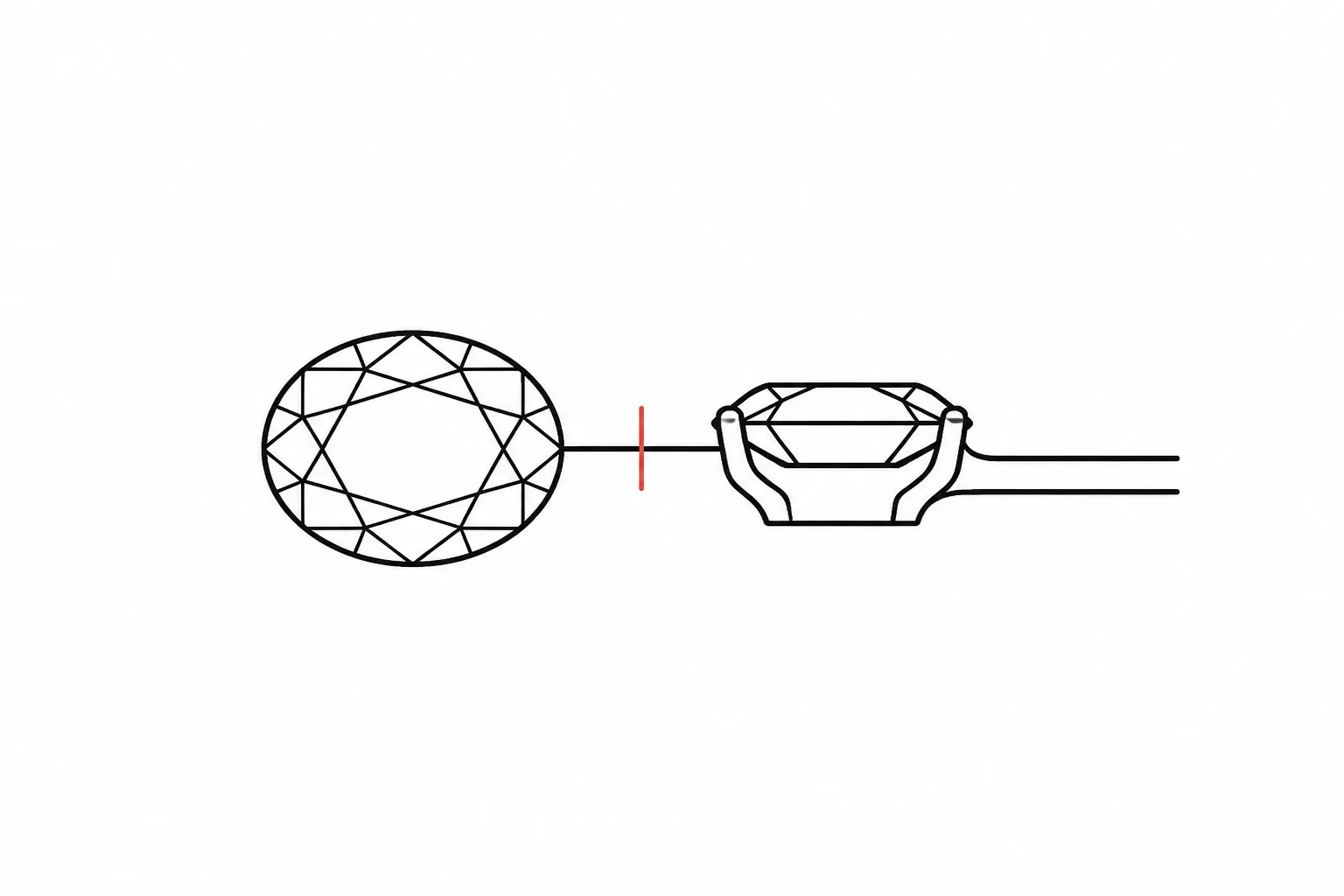
Review the center stone and its setting as separate layers. The stone may have recorded length and width, while the setting adds prongs, a bezel, a halo, a gallery, or other surrounding structure.
A stone-level record may include length and width, depth, length-to-width ratio, table, crown angle, pavilion angle, and girdle thickness. These fields describe the stone or its documented geometry. They do not automatically describe the setting envelope, the ring’s total footprint, its relationship to the wearer’s hand, or the finished object.
A supplied example of a 6 x 9 mm oval can anchor a design discussion. It must be labeled as supplied, hypothetical, or awaiting confirmation. The dimensions should come from a supplier record or another relevant source record, not from counting pixels in a preview.
- Does the setting leave the intended amount of visible stone?
- Do the prongs appear proportionate to the center setting?
- Does the halo create a narrow frame or a wide outer border?
- Is the stone shape recorded, or only suggested by the image?
- Does the brief identify the center stone dimensions, or are they still assumptions?
A 6 x 9 mm oval may produce different visual results depending on its setting, surrounding metal, viewing angle, and hand context. The number alone cannot define the whole ring.
3. Shank Width and Center Setting
Compare the shank, shoulders, and center setting as one visible relationship while keeping visual review separate from construction approval.
A shank can appear delicate beside a broad halo or substantial bezel. A heavier shank can make the center setting appear more integrated into the body of the ring. Compare a broad center setting with a narrow shank, a smaller setting with a visually heavier shank, a straight-sided band with tapered shoulders, and a split shank that increases apparent width near the setting.
The question is not which combination is universally suitable. It is whether the visible relationship matches the brief and intended design direction.
“Compare the shank width with the center setting using recorded dimensions.”
This gives the designer or CAD reviewer a defined comparison. The workshop still needs to confirm construction, tolerances, fit, durability, and any resizing implications.
4. Halo Apparent Footprint
A halo can change the apparent scale of a ring without changing the dimensions of the center stone. Its outer edge may make the ring read as wider, denser, or more graphic from the face-up view.
Review three levels:
- The center stone’s visible shape
- The inner setting boundary
- The outer halo footprint
A narrow halo may frame the stone without becoming the main feature. A wider halo may create a new silhouette that viewers read before the center stone. The preview can suggest this difference, but it cannot prove the exact millimeter spacing between stones or the feasibility of the arrangement.
Note whether the outer boundary appears even, whether the side stones follow the center shape, and whether prongs or gaps create visible interruptions. These are visual checks, not setting approval. CAD-assisted halo work also shows why stone size, spacing, prong dimensions, and production allowances need separate review rather than visual inference.

Visual Scale Versus Fit
Visual scale and fit are related, but they answer different questions.
| Visual scale asks | Fit asks |
|---|---|
| How large does the ring appear in the image? | Does the inner profile correspond to the intended ring size? |
| Which element controls the silhouette? | Does the side profile allow the expected clearance? |
| How wide does the setting appear relative to the shank? | Does the ring sit and rotate as intended? |
| Does the ring look visually dense or open? | Can construction, finish, and resizing requirements be met? |
A ring can appear visually large while being shown on a correctly sized hand. It can also appear visually small because the crop, camera distance, or surrounding context reduces its apparent footprint. A correct ring size does not by itself confirm balanced jewelry proportions.
Virtual try-on and image-based sizing research further indicate that perceived size depends on calibration, position, viewpoint, and presentation. That mechanism supports caution around unreferenced previews. It does not establish that an ordinary render is accurately scaled.
For a side-profile and fit review, use a separate artifact when available:
- A dimensioned drawing
- A CAD view with recorded scale
- A physical resin prototype
- A supplier record for the stone
- A workshop review of the intended construction
CAD models and three-dimensional resin comparisons can help teams examine scale, proportion, engineering questions, and manufacturability during review. That workflow is narrower than approval of a particular ring. The concept remains conditional until the relevant records and professional checks establish more.
Add a Known-Size Reference
A known-size reference is one of the most useful corrections for an unreferenced ring preview.
The reference might be a recorded stone dimension, a dimensioned CAD view, a physical ring gauge or prototype, a real piece photographed under comparable conditions, or a documented component whose size is already known.
The reference must be clearly identified. A familiar object in the image is not automatically a reliable measurement standard unless its dimensions are recorded and its position is suitable for comparison.
“Add a known-size reference to the ring preview.”
“Confirm whether the visible dimensions are supplied records or design assumptions.”
A visual estimate can become embedded in later discussions. Once an assumed size is repeated without a label, it may be mistaken for a supplier-confirmed measurement.

Diagnose a Scale Mismatch in a Ring Preview
When the ring appears too large or too small, separate possible causes before requesting a redesign.
If the Center Stone Appears Too Dominant
- Check whether the center dimensions are supplied or assumed.
- Check whether the setting envelope is included in the comparison.
- Check whether the halo or shoulders add more width than expected.
- Check whether the crop removes surrounding hand context.
- Check whether the brief intended a stone-first design or a balanced whole-ring silhouette.
The designer or CAD reviewer can compare the intended relationships. The supplier or source record must confirm stone dimensions and material details.
If the Shank Appears Too Thin
- Check whether the shank width is recorded.
- Check whether the setting is unusually broad.
- Check whether the view is face-up only.
- Check whether the shoulders taper or split near the center.
- Check whether a side view is available.
The visual note can identify a mismatch in emphasis. It cannot establish durability or construction suitability. Those questions pass to the qualified jeweler or workshop.
If the Ring Appears Too Wide Overall
- Check whether the halo footprint is included in the stated dimensions.
- Check whether the center stone size is being confused with the ring’s outer width.
- Check whether perspective enlarges the foreground.
- Check whether the hand reference is known.
- Check whether the outer silhouette matches the brief.
A stone ratio describes the stone. It does not describe the complete ring footprint.
A Practical Review Record
A compact comparison record keeps the handoff precise.
| Review area | What the preview suggests | What is missing | Next owner |
|---|---|---|---|
| Focal point | The center stone or halo controls attention | Intended visual hierarchy | Designer or CAD reviewer |
| Center stone | Shape and relative dominance are visible | Recorded dimensions and stone details | Supplier or source record |
| Setting | Prongs, bezel, or halo define the frame | Exact spacing and setting details | Designer or CAD reviewer |
| Shank | Width appears narrow, broad, straight, or split | Recorded width and construction review | CAD reviewer or workshop |
| Side profile | Height and gallery may be visible | Fit, clearance, and feasibility | Qualified jeweler or workshop |
| Overall scale | Hand relationship is suggested | Known-size reference and calibrated view | Designer, supplier, or reviewer |
| Approval status | Concept direction may be clear | Confirmation of what has been accepted | Handoff owner |
Keep the language observational. “The preview shows” belongs to visible evidence. “The brief records” belongs to supplied project information. “The workshop still needs to confirm” belongs to production-relevant questions.
What to Confirm Before Handoff
Record unresolved points rather than smoothing them over.
- Is the center stone dimension supplied, hypothetical, or awaiting confirmation?
- Does the
6 x 9 mm ovaldescribe the stone only, or is someone treating it as the ring’s apparent size? - Does the setting envelope preserve the intended focal point?
- How does the shank width compare with the center setting?
- Does the halo’s apparent footprint match the recorded design direction?
- Is there a known-size reference in the preview?
- Does the side profile show the intended height and gallery relationship?
- Has a qualified jeweler or workshop reviewed fit, construction, durability, resizing implications, and feasibility?
- Which views are approved as concept direction, and which records remain unresolved?
Casting, assembly, setting, plating, and polishing may appear as later process labels in a handoff. They do not establish that the preview is scale-accurate or feasible. Each stage still requires the responsible party to confirm the relevant detail.

FAQ: Jewelry Proportions in a Ring Preview
Does a larger-looking center stone mean the ring is incorrectly proportioned?
No. The preview may show a strong center focal point by design. Compare the visible hierarchy with the brief, then check the recorded stone and setting dimensions.
Can a 6 x 9 mm oval define the ring’s final size?
No. It describes a stone-level dimension if supplied and confirmed. The setting, halo, shank, hand relationship, and side profile require separate review.
Can ring size confirm visual scale?
No. Ring size concerns fit and internal dimensions. Visual scale concerns the apparent relationship among the stone, setting, shank, and surrounding hand context.
Can pixel measurements establish jewelry proportions?
Not reliably from an ordinary unreferenced image. Add a known-size reference or use a dimensioned CAD view, supplier record, or physical comparison.
What should happen when the face-up view looks balanced but the side view does not?
Record the difference. Ask the CAD reviewer or designer to compare the profiles, then route fit, clearance, construction, durability, and feasibility to the qualified jeweler or workshop.
What is the most useful next revision?
Start with the unresolved evidence. Add a known-size reference, label supplied versus assumed dimensions, compare the shank with the center setting, and request a side-profile and fit review before treating the concept as ready for the next handoff.
Sources
- Jewelry Design & Technology Program | GIA Education
- Real-Size Experience for Virtual Try-On
- Development of computer-aided design module for automatic gemstone setting on halo ring
- Integrated Jewelry Store Management System with Computer Vision-Based Size Prediction
- THE FEASIBILITY OF USING MODERN SOFTWARE FOR THREE-DIMENSIONAL MODELING IN THE JEWELRY INDUSTRY