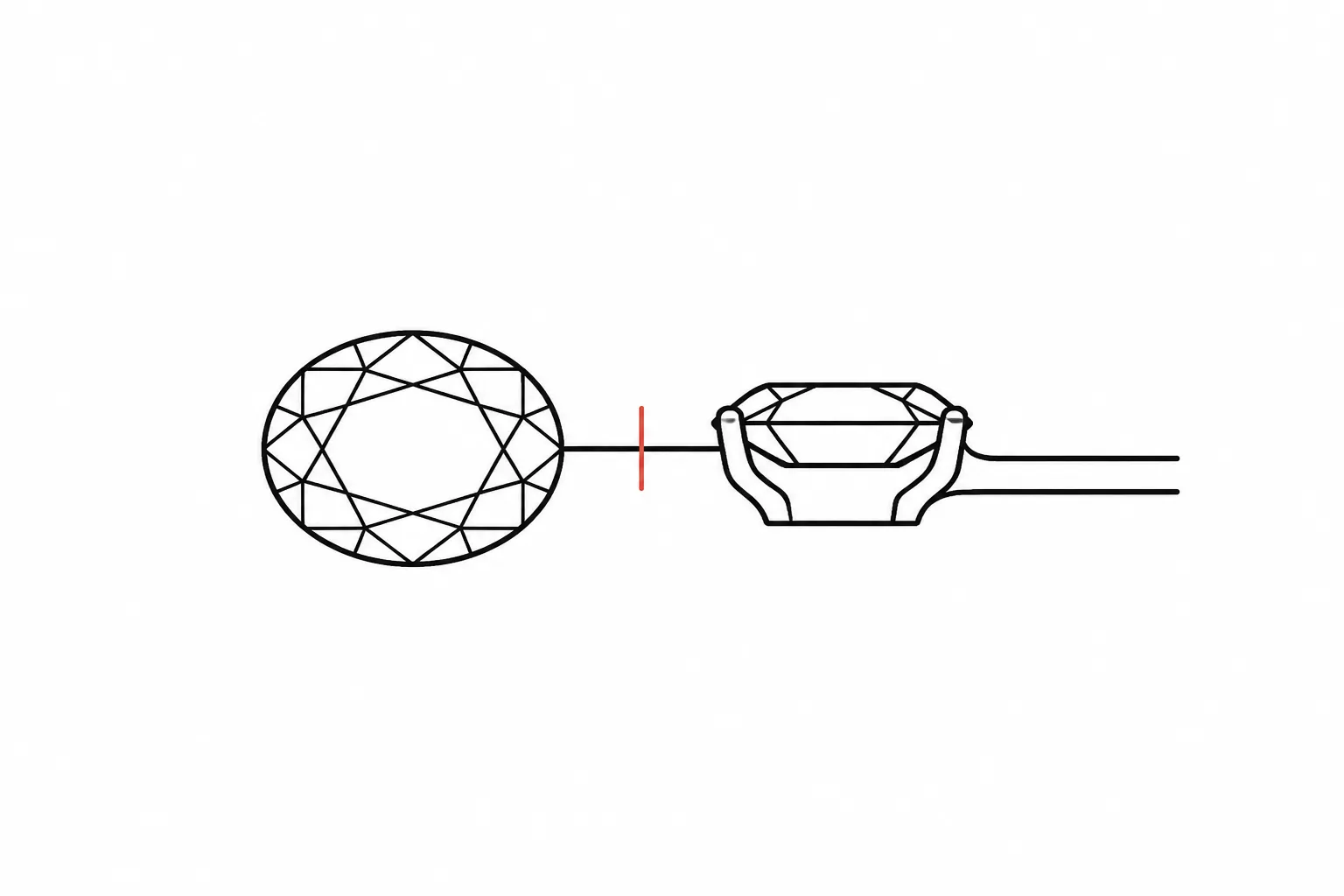
Misleading Preview Cue Diagnosis
A jewelry rendering can make a proportion look settled before the underlying design relationship has been checked. A center stone may appear too narrow, a halo may seem uneven, or a shank may look heavier on one side. The visible mismatch could come from perspective, camera setup, lighting, material appearance, framing, or an unresolved design choice.
The useful question is not whether the image looks realistic. Ask which cue changed, whether the change persists across matching views, and who must confirm the unresolved point.
A polished hero perspective view communicates concept direction. It does not establish exact dimensions, gemstone identity, metal composition, price, availability, durability, fit, hallmarking, or manufacturing feasibility.
What a Jewelry Rendering Can Show
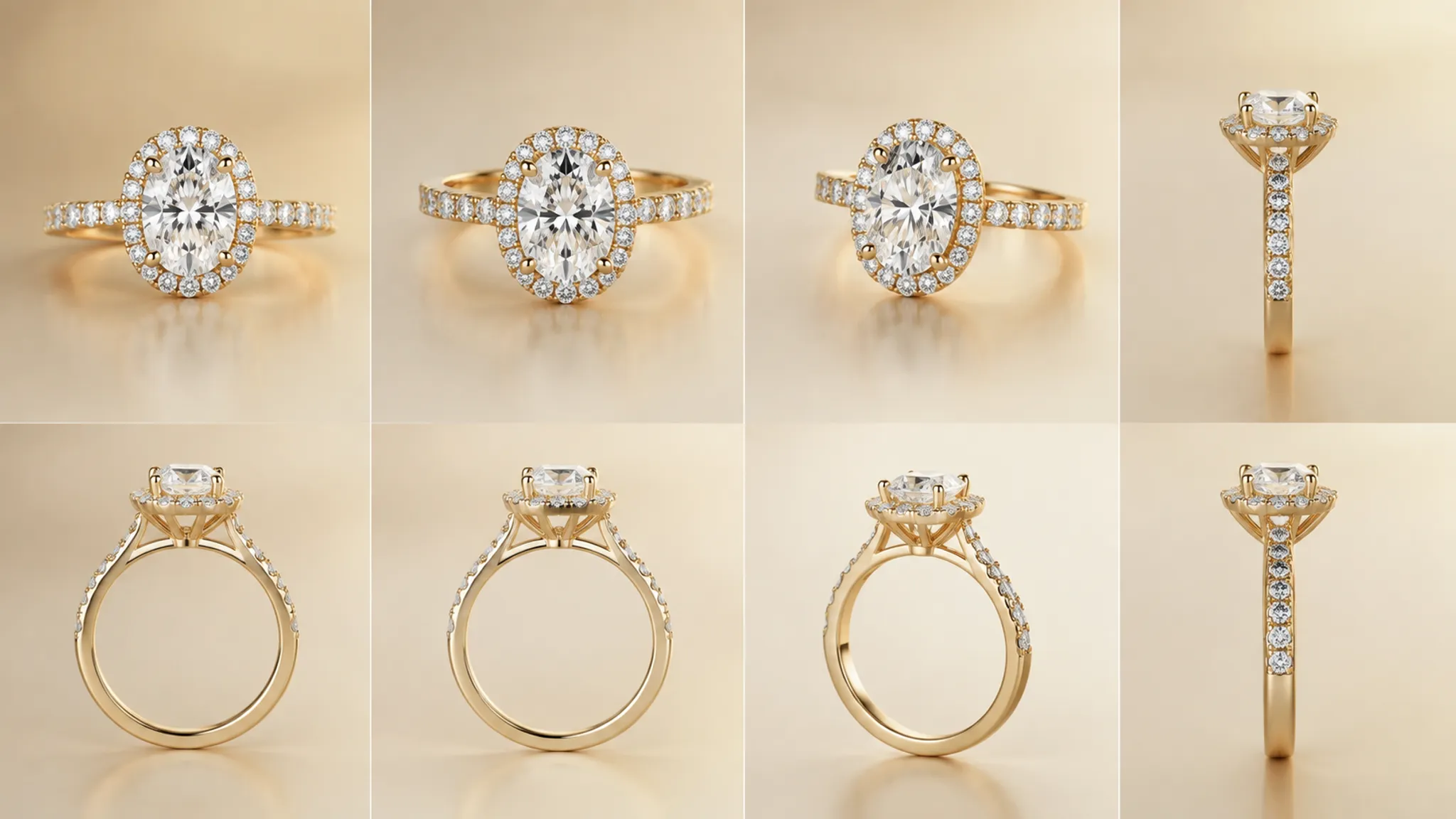
The preview shows one mapped view of a three-dimensional jewelry concept. Its appearance depends on the object, projection method, camera, lighting, assigned materials, object rotation, and framing conditions.
That combination can make two visible relationships appear different even when the modeled object has not changed. A stone may look wider when its nearer edge occupies more of the image. A gallery may seem shallow because the camera is high. A clasp may disappear because its profile turns away from the chosen view.
These are visual observations, not measurements. A rendering can help compare:
- The apparent relationship between a center stone and its shank
- The visible outline of a bezel, prong setting, or halo
- The direction and balance of a pendant or earring
- The placement of a gallery beneath a setting
- The apparent width, depth, and spacing of visible elements
- The difference between a preferred presentation angle and a working view
Questions about dimensions, material details, stone information, sourcing, quotation, fit, durability, hallmarking, and feasibility belong in the relevant design, supplier, CAD, or workshop record.
How to Spot Perspective Distortion in a Jewelry Rendering
Perspective projection changes how a three-dimensional form is mapped into a two-dimensional image. Parts closer to the camera can appear larger relative to parts farther away, especially in a close, wide, or strongly angled composition.
In a ring preview, the effect may alter the apparent relationship between the center stone, halo, shoulder, and shank. In a pendant, a chain can seem to change width as it recedes. In earrings, one element may appear larger simply because it sits nearer the camera.
Look for a cue that changes with depth rather than with the design itself:
- The near side of a ring appears heavier than the far side.
- A square or princess-cut stone appears slightly non-square in an angled view.
- One shoulder seems longer even though corresponding construction lines align elsewhere.
- The halo appears uneven only when the ring rotates.
- The band opening looks narrower from a low or close camera position.
- A pendant appears deeper or flatter when the camera height changes.
None of these observations proves the cause. Each identifies a comparison worth making.
Does the proportion concern remain in the front, side, and top views, or does it appear only in this perspective camera?
If the concern appears only in the hero view, record the camera condition before changing the model. If it remains across matching working views, the design or measurement owner needs to review the relationship.
Camera Settings for Jewelry Rendering
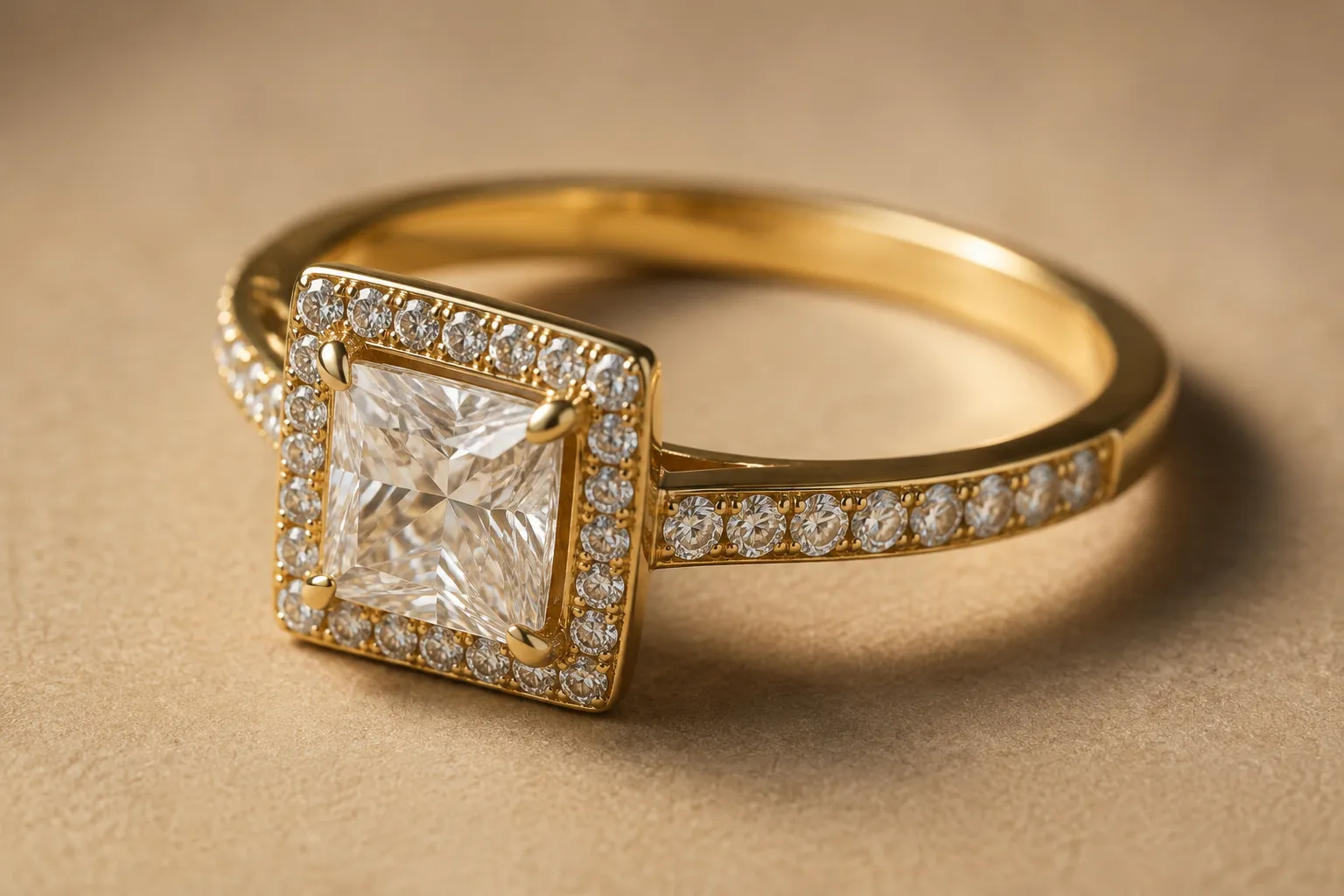
Focal length and field of view influence how much of the scene is visible and how depth relationships appear. A wider field of view can produce stronger expansion between near and far parts in a close composition. A narrower field of view can compress depth and may resemble an orthographic presentation more closely.
Camera distance also matters. Changing focal length while changing distance to preserve framing can produce a different visual relationship between the jewelry and its surroundings. A changed crop can hide whether the object moved or the camera changed.
For a reviewable preview, record the conditions that affect interpretation:
- Projection type
- Focal-length or field-of-view value, when available
- Camera height, angle, distance, or position
- Object rotation
- Image crop and framing
- Lighting setup and material assumptions
- Whether the view is a hero presentation or a working reference
- Revision date and approval status
This record does not turn the image into a dimensional document. It makes the visual condition traceable when a later comparison produces a different impression.
Focal Length and Field of View
Focal length and field of view describe related camera behavior, but they are not interchangeable labels across every rendering system. The relationship depends on the camera model and the sensor or viewport assumptions used by the software.
Use the value shown by the rendering system instead of guessing a real-world lens equivalent. A revision note can identify the current projection and field-of-view condition, then request a second view under a consistent comparison setup.
The purpose is to separate presentation preference from the condition under which proportions are being judged. There is no single setting that settles every jewelry preview.
Lens Distortion in Rendering
Lens distortion is separate from perspective. Perspective concerns the projection relationship between depth and image position. Lens distortion refers to geometric bending or displacement associated with an imaging model or simulated lens behavior.
A post-process correction may make lines near the image edge appear straighter or less curved. That changes the image appearance; it does not confirm that a ring, stone, or setting has a particular physical dimension.
When a jewelry element sits near the frame edge, compare a centered crop with the original composition. Record whether the apparent mismatch changes after reframing or correction. Any remaining dimensional question belongs with the person holding the model or measurement record.
Hero Perspective View Versus Orthographic Jewelry Views
A hero perspective view is useful for showing how a concept is intended to read. It can communicate silhouette, surface contrast, stone placement, finish direction, and the visible relationship among elements.
Front, side, and top views serve a different review purpose. They can expose depth, profile, gallery height, shank thickness, setting clearance, chain direction, clasp placement, or an uneven relationship hidden by the hero angle.
An orthographic view removes or reduces the depth-based size change associated with perspective projection. That can make alignment and outline easier to compare. It still does not establish that the drawing is suitable for production. That status depends on the supplied records, the responsible owner, and the intended handoff.
| Review artifact | What it helps show | What remains unresolved |
|---|---|---|
| Hero perspective view | Concept direction, presentation angle, and visible silhouette | Exact scale, hidden depth, feasibility, and production status |
| Front view | Face-up outline, stone and halo relationship, and apparent symmetry | Side profile, gallery, underside, and construction details |
| Side view | Profile, setting height, gallery, and shank depth | Face-up balance and some surface relationships |
| Top view | Plan outline, spacing, alignment, and orientation | Vertical structure, clearance, and material confirmation |
| Rotation preview | How visual cues change with viewpoint | Whether the underlying dimensions or construction are suitable |
The comparison is strongest when the views represent the same revision. A front view from one version and a hero view from another can create a false inconsistency.
Why a Square Stone May Appear Non-Square
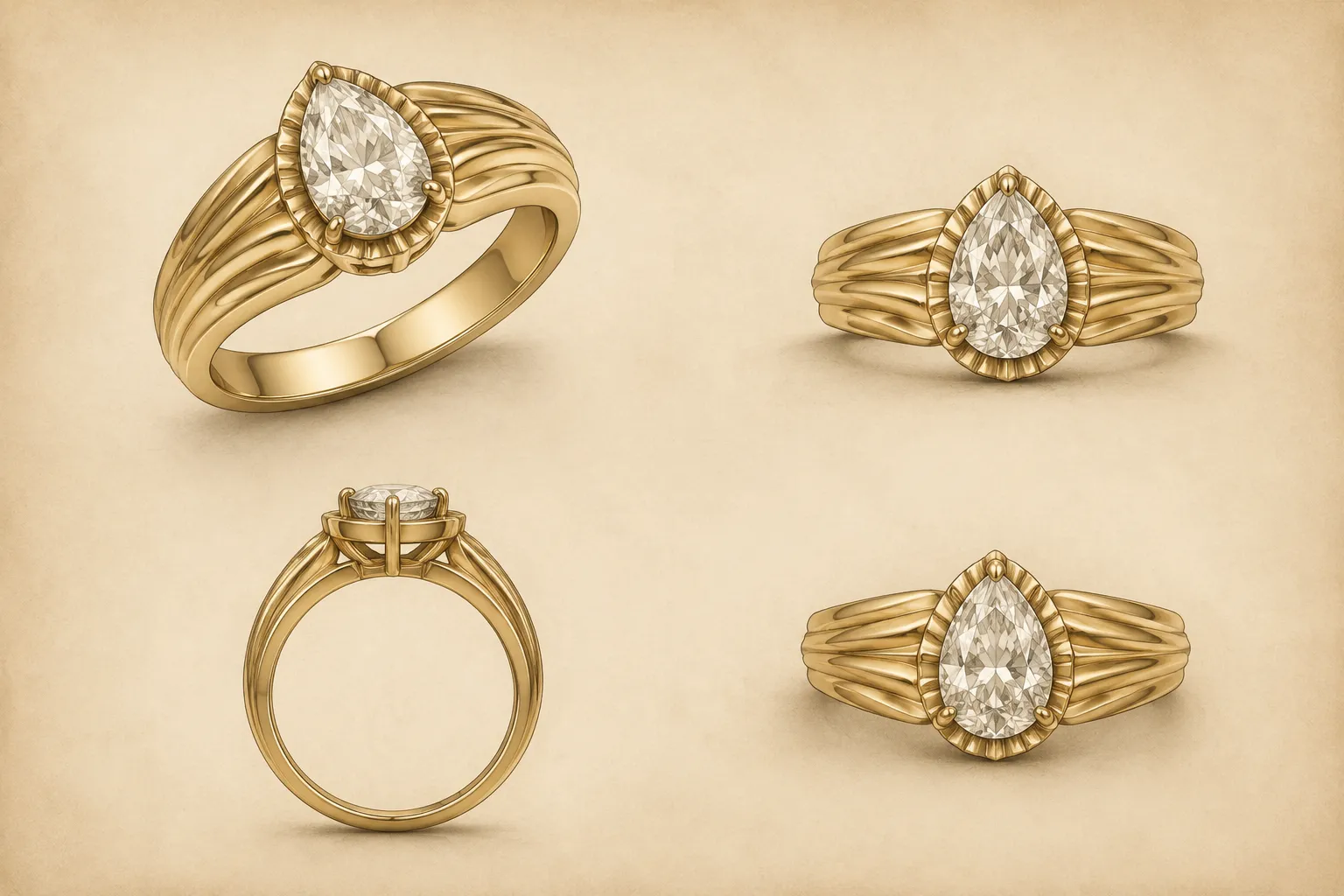
A square stone that appears slightly rectangular is a useful example because the cause may be visual rather than structural. The camera may be angled, the stone may be rotated relative to the image plane, or perspective may enlarge one visible region more than another.
Lighting and reflections add another layer of ambiguity. Faceted or reflective surfaces can show different highlights across views, making one edge easier to see than another. A material preview can therefore change the perceived outline without changing the modeled boundary.
Compare the same revision in:
- A front view aligned with the intended face-up orientation
- A side view showing the profile and setting relationship
- A top view showing the plan outline
- A perspective view with camera conditions recorded
If the non-square appearance occurs only in the perspective view, write a camera or framing note before revising the stone. If it also occurs in the aligned working views, ask the CAD or design owner to check the recorded outline, rotation, and setting relationship.
Do not infer gemstone identity or exact proportions from the render alone.
Separate the Possible Causes
Misleading cues become easier to handle when plausible causes remain separate. The same visible mismatch can require different owners depending on which comparison changes the result.
Perspective
Perspective concerns how depth is projected into the image. It can affect apparent size, spacing, and proportion when different parts of the jewelry sit at different distances from the camera.
Compare: The hero perspective view against aligned front, side, and top views.
Record: Projection type, camera position, field of view, and object rotation.
Route: The camera or rendering owner for the visual condition; the CAD or design owner if the concern persists.
Camera Framing
Framing determines where the piece sits in the image and how much composition surrounds it. A crop can emphasize one shoulder, hide a clasp, or place an edge close to the image boundary.
Compare: The original frame against a centered frame from the same revision.
Record: Crop, image orientation, camera height, and intended presentation angle.
Route: The rendering owner for a comparable frame; the design owner if the relationship remains inconsistent.
Lens or Optical Distortion
A simulated lens model or image correction can alter geometry near the image edges. This differs from the perspective effect caused by viewpoint and projection.
Compare: Centered placement, alternate correction settings, and a view without the relevant post-process effect.
Record: Any lens model, distortion control, or image-editing step used after rendering.
Route: The rendering or image-editing owner for the visual adjustment. Do not treat correction as dimensional confirmation.
Lighting and Material Appearance
Highlights, shadows, transparency, and reflections can alter the apparent boundary of a stone or polished metal surface. They may make a facet, prong, bezel edge, or shank transition look stronger or weaker.
Compare: The same view under a controlled lighting revision or a flatter material presentation.
Record: Whether the visible edge comes from geometry, reflection, shadow, or an assigned material assumption.
Route: The rendering owner for appearance; the relevant supplier or jewelry professional for material and stone questions.
Unresolved Design Relationship
A mismatch that persists across comparable views may concern the concept itself. The center stone could be too large for the intended shank relationship, the gallery could remain visually hidden, or the setting profile could still be undecided.
Compare: Consistent front, side, and top views from the same revision.
Record: The specific relationship in question and any stated or hypothetical dimensions.
Route: The designer or CAD owner for the model; workshop review for construction and feasibility questions.
A Review Workflow for Misleading Preview Cues
Start with the visible cue, not a suspected cause. Write down what appears different and where it appears in the frame.
Confirm that the compared images show the same revision. A changed stone, shank, halo, setting, or rotation can look like a camera problem when the source files differ.
Classify each view by:
- Perspective or orthographic projection
- Face-up, profile, top, or rotated position
- Presentation view or working view
- Centered or edge-cropped framing
- Neutral or appearance-focused lighting
Then compare the concern across available views. The aim is to identify whether it is view-specific or persistent. Avoid changing the model before this comparison is recorded.
Finally, assign the next question to an owner. A camera question belongs with the rendering setup. A recorded dimension belongs with the design or CAD record. A stone or metal question belongs with the relevant supplier or jewelry professional. A feasibility question belongs with the workshop or production reviewer.
Example Revision Note
The square center stone appears slightly wider on the near side in the hero perspective view. Please compare the same revision in front, side, and top views. Record the projection type, field of view, camera position, stone orientation, and framing conditions. If the mismatch persists in the aligned views, confirm the intended stone outline and setting relationship before quotation or workshop handoff.
This note separates observation from interpretation. It also prevents a visual correction from being treated as proof that the underlying design is settled.
What to Include in the Handoff Record
A useful handoff record preserves the image and the conditions under which it was judged. Include:
- The source image or reference used for the concept
- Permission, license, attribution, or rights-holder notes where applicable
- The jewelry item and revision identifier
- View type and projection type
- Camera settings available from the rendering system
- Camera framing and crop
- Lighting and material assumptions relevant to the cue
- Recorded measurements, clearly separated from visual estimates
- The approval status of the concept image
- Open questions about stone, metal, sourcing, quotation, fit, durability, hallmarking, or feasibility
- The person or role responsible for each unresolved question
Source attribution alone does not establish permission to reuse an image. Keep the rights record alongside the reference rather than treating the preview as evidence of reuse permission.
State what the image is for as well. A concept presentation, comparison sheet, CAD reference, quotation input, and workshop review do not carry the same responsibility.
Common Mix-Ups
The Render Looks Real, So the Proportions Are Confirmed
Detailed shading can make a concept feel settled. It does not establish scale or construction. Compare matching working views and consult the relevant design or workshop record.
Orthographic Means Ready to Build
Orthographic projection can make alignment easier to inspect. It does not establish dimensions, tolerances, materials, or manufacturing suitability.
Fixing the Perspective Fixes the Design
A camera adjustment can change the appearance of a relationship without changing the object. Treat the adjustment as a visual revision and recheck the underlying records.
One Angle Shows the True Shape
One angle shows one view under selected conditions. A proportion decision should identify which view matters and whether the same concern persists elsewhere.
FAQ
What is perspective distortion in jewelry rendering?
It is an apparent change in size, spacing, or proportion caused by mapping a three-dimensional jewelry concept into a perspective image. The effect depends on viewpoint, projection, camera conditions, and the depth relationship among visible parts.
Which camera settings should be recorded?
Record the projection type and any available focal-length or field-of-view value, along with camera position, height, angle, object rotation, crop, lighting condition, and revision status.
Should every jewelry preview include front, side, and top views?
Use those views when a proportion or structural relationship matters. They provide comparison points for a hero view, but they are not automatically a final technical document.
Who confirms whether the jewelry design can be made?
The appropriate CAD specialist, jeweler, supplier, or workshop must confirm the question within their responsibility. The preview should carry the relevant source record, measurements, assumptions, and approval status.
Can a rendering confirm a gemstone or metal?
No. A rendering can show an assigned visual appearance or design assumption. It cannot establish gemstone identity, metal composition, provenance, durability, availability, or price.
The Practical Verdict
When a jewelry rendering feels misleading, preserve the visible observation and test the condition that produced it. Compare the hero perspective view with matching front, side, and top views before altering the concept.
If the cue changes with the camera, revise the camera record. If it persists across views, revise the design question. If it concerns material, sourcing, dimensions, price, fit, durability, hallmarking, or feasibility, pass the record to the responsible owner.
The preview communicates a direction. The handoff record determines what remains to be confirmed.