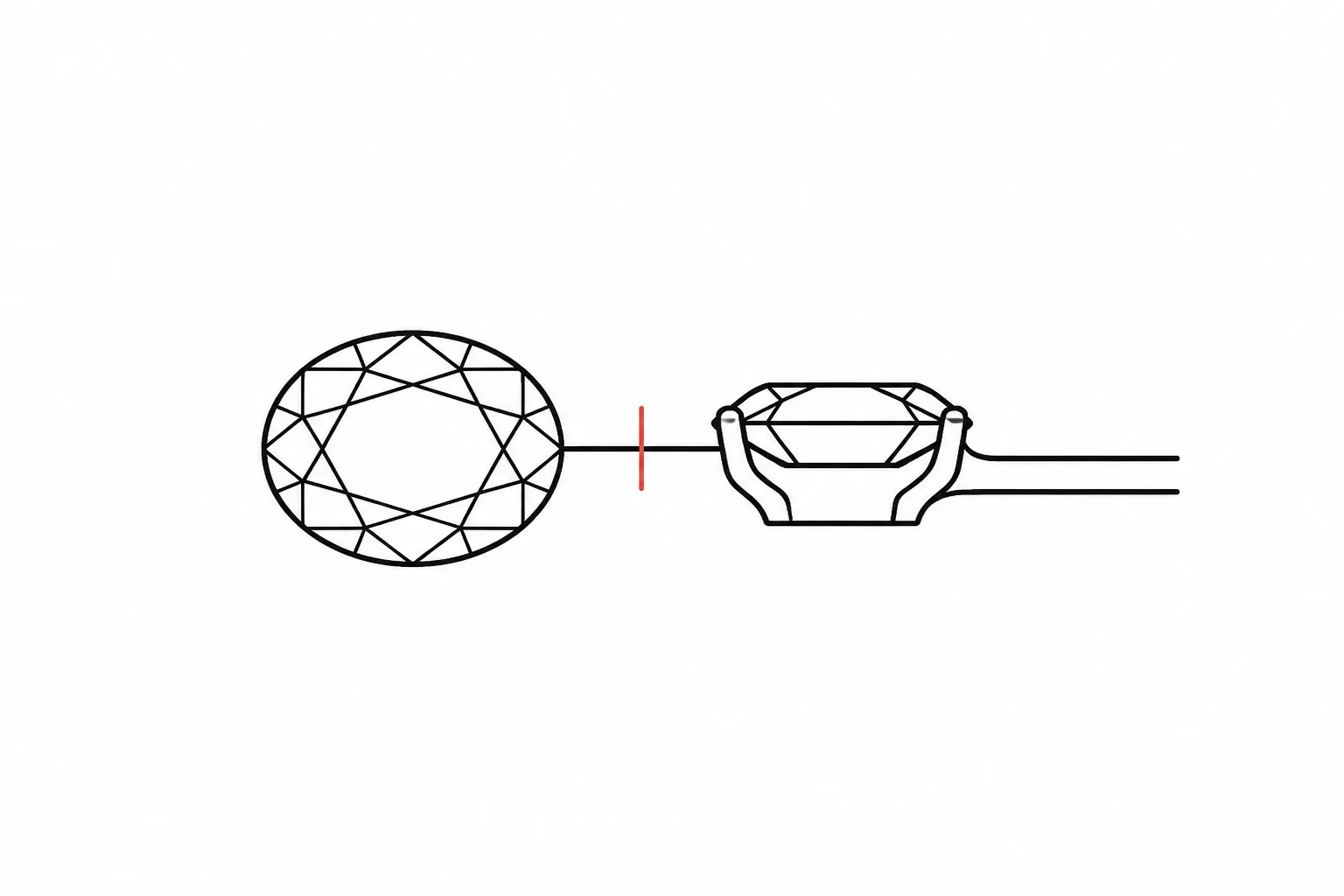
Stone and Setting Readability
A jewelry setting design can look resolved from above and ambiguous from the side. A halo may read clearly in the top view, while the profile leaves its height, gallery, or lower detail uncertain. A prong can appear deliberate in a render, yet its intended position and construction remain open.
The useful question is not whether the preview looks convincing. It is whether each view gives the next reviewer enough information to make a specific decision.
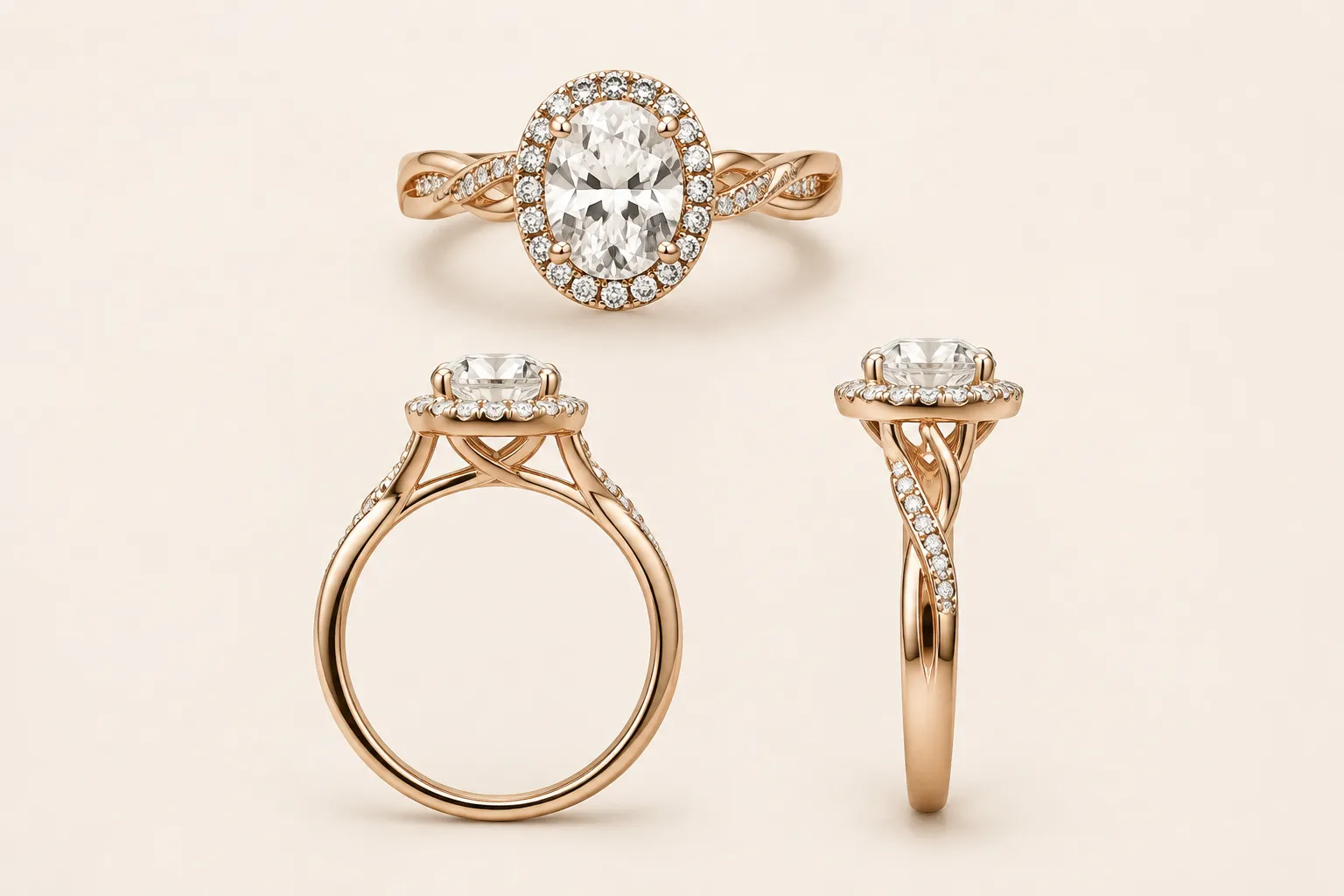
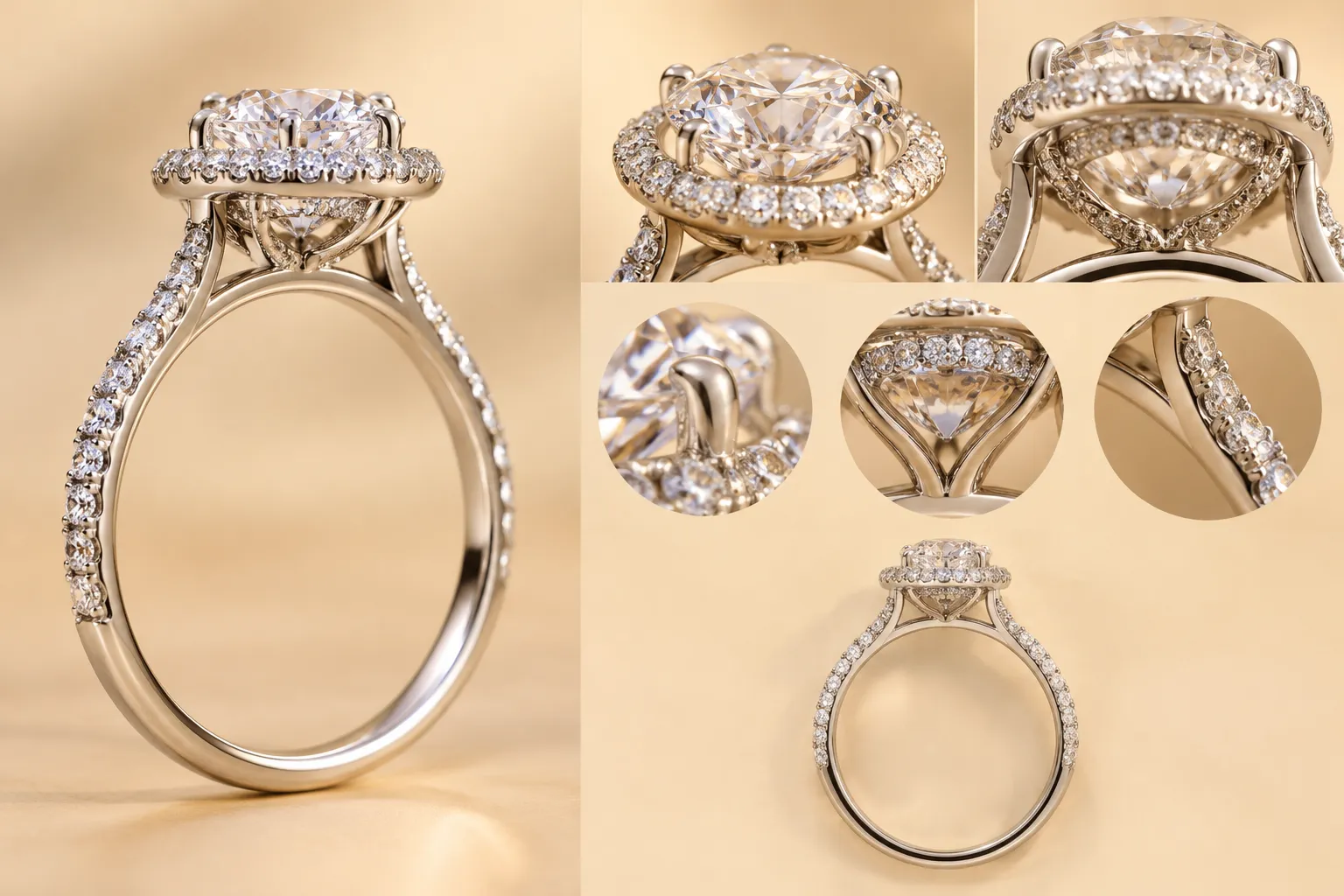
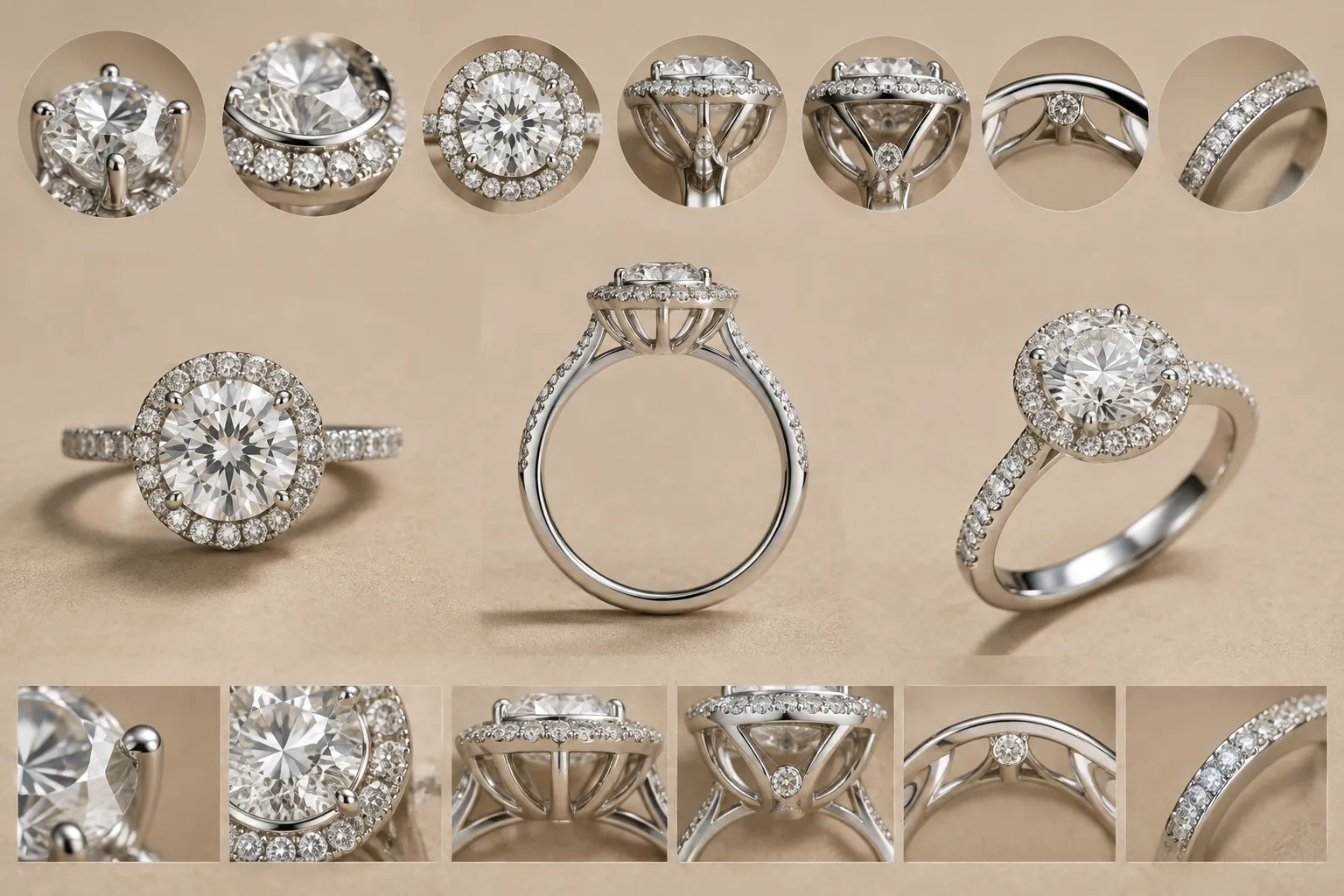
For a handoff-minded review, separate five records:
- Visible feature: what the preview actually shows.
- Source record: what a supplier listing, brief, or reference image states.
- Editorial interpretation: what the arrangement appears to suggest.
- Unresolved question: what the image cannot establish.
- Confirmation owner: the supplier, CAD designer, jeweler, or workshop responsible for the next answer.
This structure keeps concept direction separate from production confirmation.
What Stone and Setting Readability Means
Stone and setting readability is the ease with which a viewer can identify the main stone shape, surrounding details, support structure, and viewpoint-specific features in a jewelry preview. A readable preview does not need to prove exact dimensions or feasibility. It needs to make the intended comparison visible.
For a ring concept, readability usually depends on:
- the stone shape and orientation;
- the relationship between the center stone and any halo;
- the position and direction of prongs;
- the visible gallery, basket, bridge, or bezel;
- the height and slope of the side profile;
- the transition from setting to shank;
- the difference between visible construction and style language; and
- the consistency of top, side, and front views.
A halo surrounds a center stone with smaller accent stones. A hidden halo sits beneath the center stone, close to the prong bases, so its main visual cue appears from the side rather than directly above. That distinction helps with review, but the label still needs to match what the available views show.
Start With the Top View
The top view usually carries the strongest information about a ring's visible footprint. Use it to compare the center stone outline, halo shape and spacing, symmetry, accent-stone placement, prong positions, shank direction, and any visible bezel edge.
A traditional halo is generally read around the center stone from above. The surrounding stones form part of the main outline, allowing the reviewer to compare the center stone, halo width, and outer silhouette in one plane. The surrounding detail can also make the overall design appear larger. That is a perception cue, not evidence that the center stone itself has larger measured dimensions.
The top view suggests a traditional halo around the center stone. Confirm the intended gap between the center stone and surrounding stones, and record whether the halo forms the primary silhouette or a separate lower detail.
What the Top View Cannot Establish
The top view usually cannot settle setting height, gallery construction, basket depth, hidden-halo placement, prong feasibility for a selected stone, exact dimensions, metal thickness, manufacturing feasibility, price, or availability. A visually clear top view can still be incomplete for handoff.
Read the Halo Ring Side Profile
The halo ring side profile reveals relationships that disappear from above. It helps the reviewer see whether surrounding detail rises around the center stone, sits below it, or is only suggested through lighting.
Check the profile for:
- center-stone height;
- gallery or basket shape;
- bridge position;
- hidden-halo placement;
- prong direction;
- bezel wall or rim;
- clearance between the setting and shank;
- the transition into a cathedral, split, or straight-sided shank; and
- whether the profile appears compact, open, raised, or unresolved.
A hidden halo is primarily a side-profile cue beneath the center stone. It is not simply a traditional halo viewed poorly. Its intended placement changes which angle should reveal it.
The side view is needed to confirm whether the surrounding detail sits beneath the center stone as a hidden halo. The current view suggests lower-set accent detail, but the gallery, prong bases, and exact placement remain unresolved.
Why Profile Ambiguity Matters
Two designs can share a similar top silhouette while producing different side profiles. A low surrounding detail may suggest a hidden halo. A raised ring of stones may read as a traditional halo or another layered setting. A broad bezel can create a continuous edge, while prongs leave more visible gaps between the stone and metal.
The difference changes the next question. If the profile is central to the concept, request a clearer side view before discussing exact construction.
Use the Front View to Check Direction
The front view sits between the top and side profile. It can clarify the relationship between the center stone, prongs, halo edge, gallery, and shank.
Use it to review:
- whether the center stone is upright;
- whether the point or cleft of a shaped stone remains visible;
- whether prongs appear evenly distributed;
- whether the halo looks level or tilted;
- whether the shank meets the setting centrally;
- whether side details remain visible from the intended presentation angle; and
- whether the setting appears balanced across the vertical axis.
A front-facing view can expose a problem that the top view hides. A halo may appear centered from above but sit visibly high or low against the center stone from the front.
The front view shows the center stone and halo as visually aligned, but the lower setting detail is partly hidden. Add a clearer view of the gallery and confirm whether the shank meets the setting at the intended centerline.
Compare Traditional and Hidden Halo Readability
| Review question | Traditional halo | Hidden halo |
|---|---|---|
| Main view | Usually clearest from above | Usually clearest from the side |
| Visible role | Contributes to the top silhouette | Sits beneath the center stone |
| Main ambiguity | Halo spacing and symmetry | Whether lower detail is actually present |
| Useful view pair | Top and front | Side and front |
| Revision focus | Center-to-halo gap, outer outline, and prong alignment | Profile height, prong bases, gallery, and lower accent placement |
| Still unresolved | Exact dimensions and setting execution | Exact dimensions and setting execution |
These labels describe visual direction. They do not establish the final setting type, stone identity, exact scale, or production feasibility.
Words such as sparkle, floating appearance, apparent size, and protection often record a client's preference. They should not be treated as technical findings. “The client prefers a floating appearance” can become “Keep the visible metal between the center stone and halo visually limited in the top view.” “The client wants more protection” becomes “Ask the jeweler to compare the proposed edge treatment and setting construction for the selected stone.”
Identify the Setting Details That Matter
An anatomy label is useful only when it changes the review decision.
Prongs
Prongs are visible and structural features, but a preview cannot confirm their final dimensions or suitability for a selected stone. For a round or oval stone, approximate clock positions can make a revision note more precise than “move the prongs.” Treat those positions as a communication aid, not a final setting instruction.
For a pointed stone, ask:
- Is the point intended to face upward?
- Which prong is intended to frame the point?
- Does the visible outline remain pointed?
- Does the setting preserve the cleft of a heart-shaped stone?
- Are the prongs shown as a concept cue or a proposed construction detail?
For a heart-shaped stone, the point and cleft create a specific placement question. A reference example can support the question, but it does not establish one universal arrangement.
Bezel
A bezel reads as a surrounding metal rim or wall. From above, it may appear as a continuous border. From the side, its height and relationship to the stone become more important.
The preview shows a continuous edge around the stone. Confirm whether the intended setting is a bezel, a partial bezel, or a visual border created by the render.
Do not infer the metal type, wall thickness, or performance from the image alone.
Gallery, Basket, and Bridge
The head may include the prongs, basket, and bridge. The gallery refers to the side-profile area beneath or around the mounted center stone. These terms separate different questions:
- Gallery: What side detail is visible beneath the stone?
- Basket: What support structure does the concept appear to show?
- Bridge: Where does the structure pass between the setting and shank?
- Shank: How does the band approach and leave the setting?
A preview may show the appearance of these parts without settling how they will be constructed. Measurements, material, and setting execution remain workshop questions.
Shank and Split Shank
The shank can appear straight-sided, tapered, knife-edge, split, twisted, or otherwise shaped in the concept. These labels describe visible direction. The review question is whether the shank meets the setting in the way the concept requires.
Record where the shank divides, whether the split remains visible from the front, whether the band appears to pass behind or around the setting, whether its width is documented or only assumed, and whether the side view supports the same structure as the top view.
Mark Up an Unclear Halo Ring Preview
When a preview is unclear, mark the image by decision area rather than by general dissatisfaction.
1. Mark the Center Stone
Record the visible shape and orientation. Use conditional language when the stone is only a visual placeholder.
The preview appears to use a pointed stone shape, but the source record does not confirm the stone type or dimensions.
2. Mark the Surrounding Detail
Identify whether the detail appears to sit around the center stone, beneath it, or along the shank.
The top view shows surrounding accent detail. The side view is needed to determine whether it is a traditional halo or a lower hidden halo.
3. Mark the Prong Direction
Use clock-position language when it improves coordination.
The front-facing prongs appear to frame the upper point and lower cleft. Confirm the intended positions with the CAD designer or jeweler before treating this as a setting instruction.
4. Mark the Gallery and Basket
Do not leave side-profile structure unnamed.
The gallery is visible as a narrow band beneath the center stone. Confirm whether this is part of the intended basket or only a render artifact.
5. Mark the Shank Connection
Compare the top and front views.
The shank appears centered in the top view but enters the setting at a different apparent height in the front view. Reconcile the views before approving the concept direction.
6. Mark Unresolved Assumptions
Separate visual assumptions from recorded facts.
Assumption: the center stone, metal, dimensions, and setting method are placeholders. The source record and workshop still need to confirm each item.
Turn Visual Ambiguity Into a Revision Note
A useful revision note has four parts: observed feature, decision consequence, requested clarification, and confirmation owner.
Halo Placement
The top view suggests a traditional halo around the center stone. The side profile does not clearly show whether the surrounding detail sits beneath the stone. Add a side view that exposes the gallery and confirm the intended arrangement with the CAD designer.
Prong Placement
The preview shows prongs near the stone's pointed ends. Confirm whether the point and cleft should remain visually open, and ask the jeweler to determine the final placement for the selected stone.
Bezel or Prong Direction
The preview shows a continuous edge that could be read as a bezel or as shaded prongs. Label the intended setting direction and record the metal and measurements separately in the source record.
Inconsistent Views
The top view shows a centered halo, while the front view suggests an uneven lower gap. Reconcile the two views before using the image as a comparison reference.
Unsupported Visual Promise
The concept uses language associated with sparkle and protection. Keep those as preference terms, then request a construction-focused review rather than treating them as confirmed performance.
The note should make the next action obvious without pretending that the image has answered it already.
Keep Source Records Separate From Visual Interpretation
A supplier record may contain nominal dimensions, listed metal, setting type, CAD or CAM status, product date, and availability information. Those values apply to the listed product and date. They should not transfer to an unrelated custom concept merely because the silhouettes appear similar.
| Field | Record status |
|---|---|
| Center stone | Assumption or supplied specification |
| Stone shape | Visible description unless documented |
| Metal | Source-record field requiring confirmation |
| Halo type | Editorial interpretation until the views support it |
| Nominal dimension | Supplied value tied to its product or brief |
| CAD or CAM status | Source-record label, not production approval |
| Price | Quotation field, not a visual inference |
| Availability | Date-sensitive supplier confirmation |
| Feasibility | CAD, jeweler, or workshop question |
A render can communicate direction. It cannot independently establish the stone, metal, price, availability, exact scale, durability, hallmarking, or production status.
A Practical Review Workflow
The following sequence works when a client, designer, or jeweler must compare several setting concepts.
Pass One: Identify the Intended View
Ask what the image is meant to establish. Is it showing the overall silhouette, comparing halo placement, showing a side profile, explaining prong direction, or presenting a shank transition? If the purpose is unclear, the first revision should clarify the view rather than adjust the design.
Pass Two: Label Visible Features
Mark the center stone, surrounding detail, prongs, bezel, gallery, basket, bridge, and shank only where they are visible. Do not fill missing information with assumptions.
Pass Three: Compare the Views
Place the top, side, and front views together. Look for a halo present in one view but absent in another, different apparent center-stone proportions, prongs that change direction, a shank that meets the setting inconsistently, a gallery that appears only through shading, or side detail that cannot be located from above.
Pass Four: Write the Decision Note
State what the viewer can see, what it suggests, and what remains unresolved. Keep the request tied to one visible discrepancy.
Pass Five: Assign the Next Owner
- Supplier: listed product fields, nominal specifications, and dated availability.
- CAD designer: model geometry, view consistency, and spacing assumptions.
- Jeweler: setting terminology, stone-specific placement questions, and design interpretation.
- Workshop: measurements, material execution, construction, setting process, and feasibility.
The handoff is complete when the unresolved question has an owner.
When a Preview Is Not Ready for Handoff
A concept preview needs revision when any of these conditions prevent comparison:
- The top view does not show whether the halo surrounds or sits beneath the center stone.
- The side profile hides the gallery or setting height.
- The front view changes the apparent prong arrangement.
- The stone shape is unclear where placement depends on it.
- The source record gives specifications that are not tied to the current concept.
- Style words are being used in place of visible construction terms.
- The image implies exact scale without a stated measurement source.
- The preview is described as final or ready for production without confirmation.
- Lighting or camera angle makes a critical feature appear or disappear.
A polished image can still fail this test. Readability is about decision support, not surface finish.
Common Mix-Ups in Jewelry Setting Design
“The Halo Makes the Center Stone Larger”
A halo can increase the apparent visual footprint of the design. It does not prove that the center stone has a larger measured dimension.
Treat the halo as a surrounding scale cue. Record the center stone's dimensions separately from the overall ring footprint.
“A Hidden Halo Is Just a Traditional Halo From Another Angle”
The two arrangements can share visual language, but their intended placement differs. A hidden halo sits beneath the center stone and is primarily interpreted from the side.
Add a side profile before labeling the lower detail as a hidden halo.
“The Render Shows Finished Prongs”
A visible claw or prong shape is a concept detail. It does not confirm final dimensions or suitability for a selected stone.
Keep the prongs as visible design direction and route final placement and construction to the appropriate review owner.
“A Bezel Label Establishes Performance”
A bezel may be described through protection-focused market language, but a particular preview does not establish broad conclusions about performance.
Record the visible bezel direction, then ask the jeweler or workshop to assess the proposed construction for the selected stone.
“The Supplier Listing Confirms the Custom Concept”
A supplier listing can provide useful field names, but its specifications belong to that listed product and date.
Copy only the relevant field structure into the handoff. Do not transfer product dimensions, metal, or availability to the custom concept without a matching source record.
The Five-Record Handoff
Visible Feature
The top view shows a center stone surrounded by a narrow ring of accent detail.
Supplied Source Record
The brief identifies the concept as a halo ring. No confirmed stone dimensions or metal specification are attached.
Editorial Interpretation
The arrangement appears to read as a traditional halo from above.
Unresolved Question
The side profile does not establish whether a second detail sits beneath the center stone as a hidden halo.
Confirmation Owner
The CAD designer should reconcile the views. The jeweler or workshop should confirm the selected stone, measurements, material, and setting execution later.
This format is compact enough for a comparison sheet and precise enough to prevent visual inference from becoming production fact.
FAQ
What Should a Halo Ring Top View Show?
It should make the center stone, surrounding detail, outer silhouette, and visible prong arrangement easy to compare. It does not need to establish exact dimensions or final construction.
Why Is a Halo Ring Side Profile Necessary?
The side profile reveals setting height, gallery detail, basket shape, bridge position, and whether lower accent detail may be a hidden halo. These features can disappear from the top view.
What Does a Halo Ring Front View Clarify?
It can clarify stone orientation, prong direction, halo alignment, shank connection, and whether side details remain visible from the intended presentation angle.
How Should Prong Positions Be Recorded?
Use a clear positional description, including clock positions when useful for communication. Treat the description as a design brief, not a final setting instruction.
What Should Be Checked for a Heart-Shaped Stone?
Check whether the point and cleft remain legible, then ask where the intended prongs should sit. The final arrangement requires review for the selected stone and setting.
Can a Preview Confirm a Hidden Halo?
It can suggest one when the top and side views show the expected relationship. It cannot confirm the arrangement if the side detail, gallery, or source record remains unclear.
Can a Render Confirm the Stone or Metal?
No. A render can show a visual concept. Stone identity, metal, dimensions, availability, price, durability, hallmarking, and feasibility require separate records or qualified confirmation.
Who Confirms Whether the Concept Can Be Made?
The responsible supplier, CAD designer, jeweler, or workshop depends on the question. Construction, measurements, setting execution, and feasibility remain unsettled until the responsible reviewer confirms them.
Final Review Standard
A readable jewelry setting design does three things:
- It shows the intended feature from the view that makes that feature legible.
- It separates visible direction from source-record facts and unresolved assumptions.
- It gives each remaining question to the person responsible for confirming it.
The top view establishes the main silhouette. The side profile exposes hidden structure. The front view checks direction and alignment. Together, they turn a convincing image into a reviewable handoff without allowing the concept to outrun sourcing, measurement, CAD development, quotation, or workshop confirmation.